
Easy Table of Contents
by Steven Zahm
Generates a table of contents from your headings automatically with per-post-type control.
This link may earn us a commission. It never changes our rating.
What Easy Table of Contents does
Generates a table of contents from your headings automatically with per-post-type control.
It sits in the content part of a WordPress stack and is sold by Steven Zahm on a freemium basis. We recommend it in our content guides because it does that one job well without asking you to rebuild the rest of the site around it.
Every plugin adds work to a page request, so treat this as a decision with a cost. Record a speed test before you install it and run the same test afterwards, on the same page, so you know exactly what it charged you.
What Easy Table of Contents looks like
Official screenshots from the WordPress.org plugin directory, as published by the plugin authors.
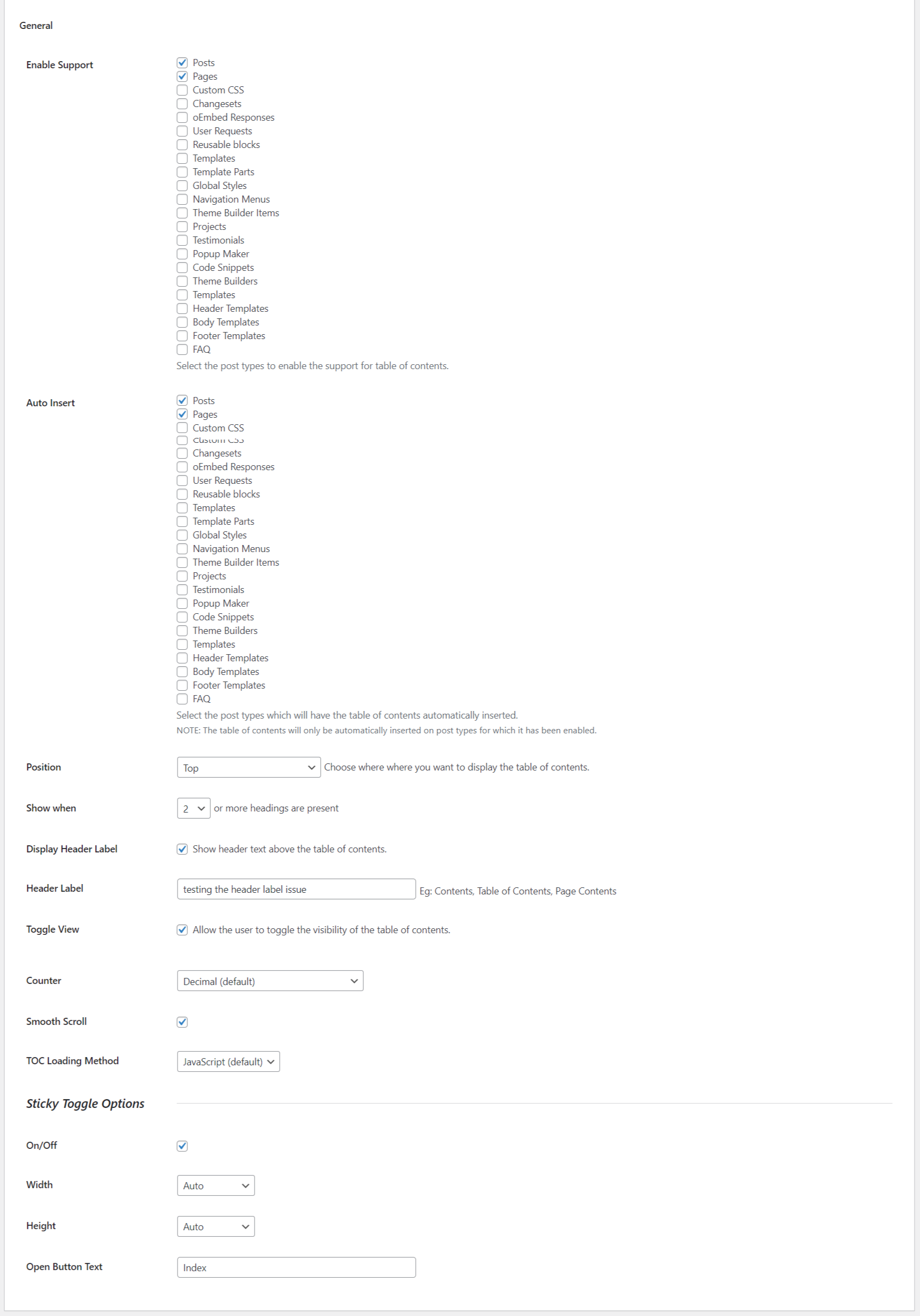

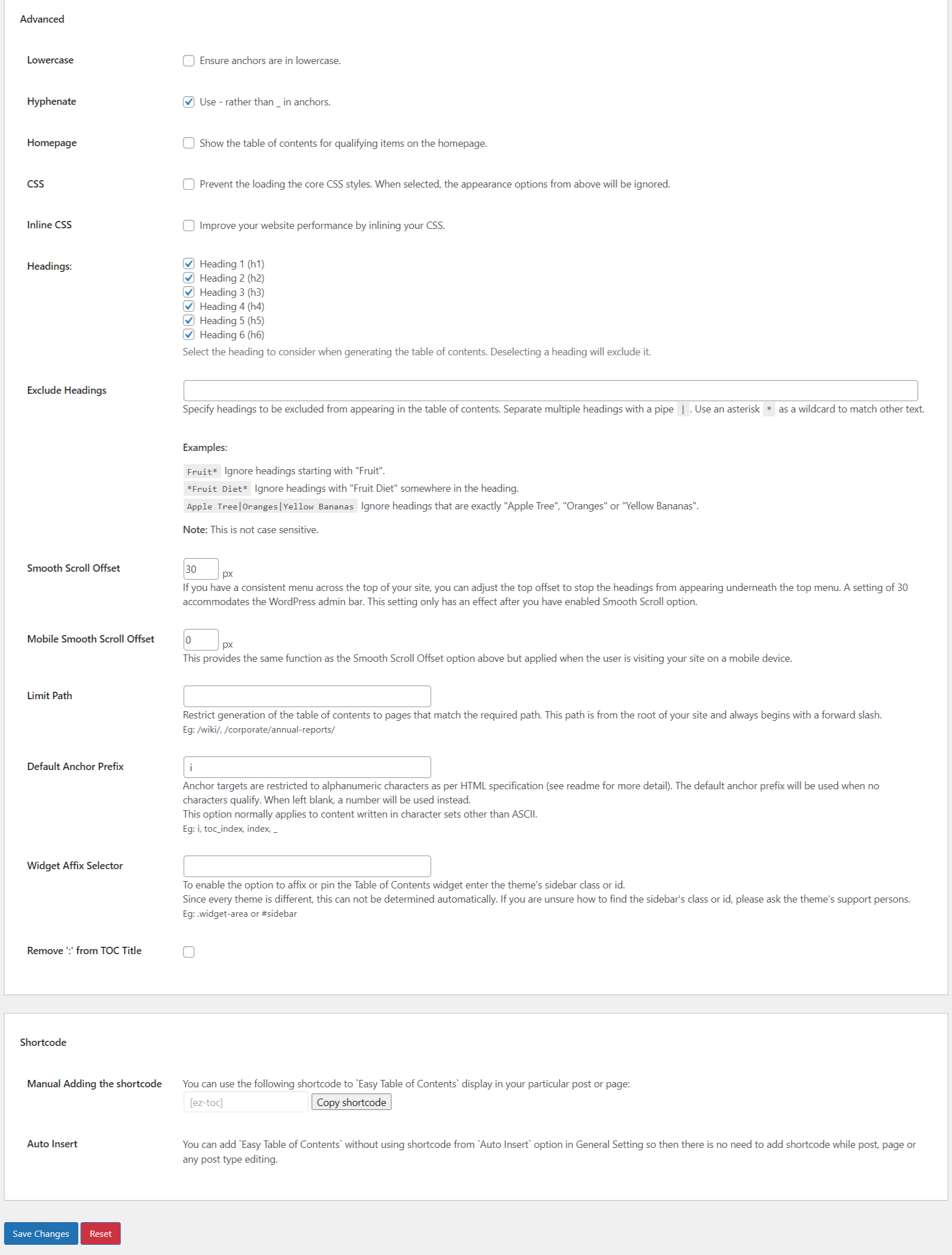
Try Easy Table of Contents live
Press play to start a private, throwaway WordPress site in your browser with Easy Table of Contents version 2.0.87.1 already installed. Nothing is saved and nothing touches your own site: close the page and it disappears.
Real user ratings
Score
4.4/5
Reviews
221
Active installs
600,000+
Downloads
19.8M
Latest version
2.0.89
Last updated
2026-10-16
These figures come straight from the public WordPress.org plugin directory API for version 2.0.89, not from us. Check them yourself on the WordPress.org listing. Our own editorial score is 4.6/5.
Where Easy Table of Contents ranks elsewhere
Easy Table of Contents does not appear in the published "best of" lists we track from WPBeginner, TechRadar, Kinsta, Themeisle and similar sites. That is not a mark against it - those roundups are short and skew towards the biggest names.
What changed in the latest version
- Improvement : Optimized feedback form #981
- Added : Option To Track Table of Contents (TOC) Link Clicks #954
- Added : Spilt TOC on page when it has large heading .#952
- Fixed : WooCommerce Classic Checkout Crashes When [ez-toc] Shortcode Is Used on Terms and Conditions Page #905
- Fixed : TOC content filter re-parses all blocks #910
- Test : Test with WordPress 7.1 and update readme.txt #976
- Compatibility : Added compatibility with helpie faq #959
- Improvement : Enable Sticky TOC on Tablet Independently When Disabled for Mobile #957
- Accessibility: Missing ARIA roles and labels in Sticky TOC container and toggle button #899
- Improvement : Plugin Check improvements
Release notes are the developer's own words, published on WordPress.org. Read the full changelog
Pros and cons
- Automatic and configurable
- A free tier you can trial before paying
- Actively maintained and used on production sites we test
- Styling takes some CSS
- The features most sites need sit in the paid tier
How to use it
- 1Install on a staging copy first if the site takes money.
- 2Work through the setup wizard and connect any external accounts it needs.
- 3Configure the one feature you installed it for, and leave the rest off.
- 4Test the result as a logged-out visitor on both mobile and desktop.
- 5Re-run our speed test to confirm the plugin has not cost you load time.
How it compares
Other content plugins we recommend, with their rating and pricing model.
| Plugin | Our rating | WordPress.org | Pricing | Best for |
|---|---|---|---|---|
| Easy Table of Contents | 4.6 | 4.4 (221) | Freemium | Automatic and configurable |
| Advanced Custom Fields | 4.5 | 4.5 (1,440) | Freemium | Turns messy page content into structured, reusable data |
| Custom Post Type UI | 4.6 | 4.6 (276) | Freemium | Structured content types with no code |
| LuckyWP Table of Contents | 4.7 | 4.9 (884) | Free | Clean markup and free |
| Pods | 4.8 | 4.8 (418) | Free | Fields and content types in a single free tool |
| SimpleTOC | 4.6 | 4.9 (77) | Free | Zero JavaScript on the frontend |
Guides that cover Easy Table of Contents

Alternatives
Other content plugins
Advanced Custom Fields
WP Engine
Adds structured custom fields to any post type so editors fill in fields instead of styling content by hand.
1,440 reviews · 77.4M downloads · v6.8.10
Custom Post Type UI
WebDevStudios
Creates custom post types and taxonomies through the admin instead of hand-written registration code.
276 reviews · 24.9M downloads · v1.19.3
LuckyWP Table of Contents
LuckyWP
A free contents plugin with a block, shortcode and smooth-scroll behaviour.
884 reviews · 1.1M downloads · v2.1.14