
Eventin
by Themewinter
Events, tickets, speakers and schedules with block and Elementor support.
This link may earn us a commission. It never changes our rating.
What Eventin does
Events, tickets, speakers and schedules with block and Elementor support.
It sits in the events part of a WordPress stack and is sold by Themewinter on a freemium basis. We recommend it in our events guides because it does that one job well without asking you to rebuild the rest of the site around it.
Every plugin adds work to a page request, so treat this as a decision with a cost. Record a speed test before you install it and run the same test afterwards, on the same page, so you know exactly what it charged you.
What Eventin looks like
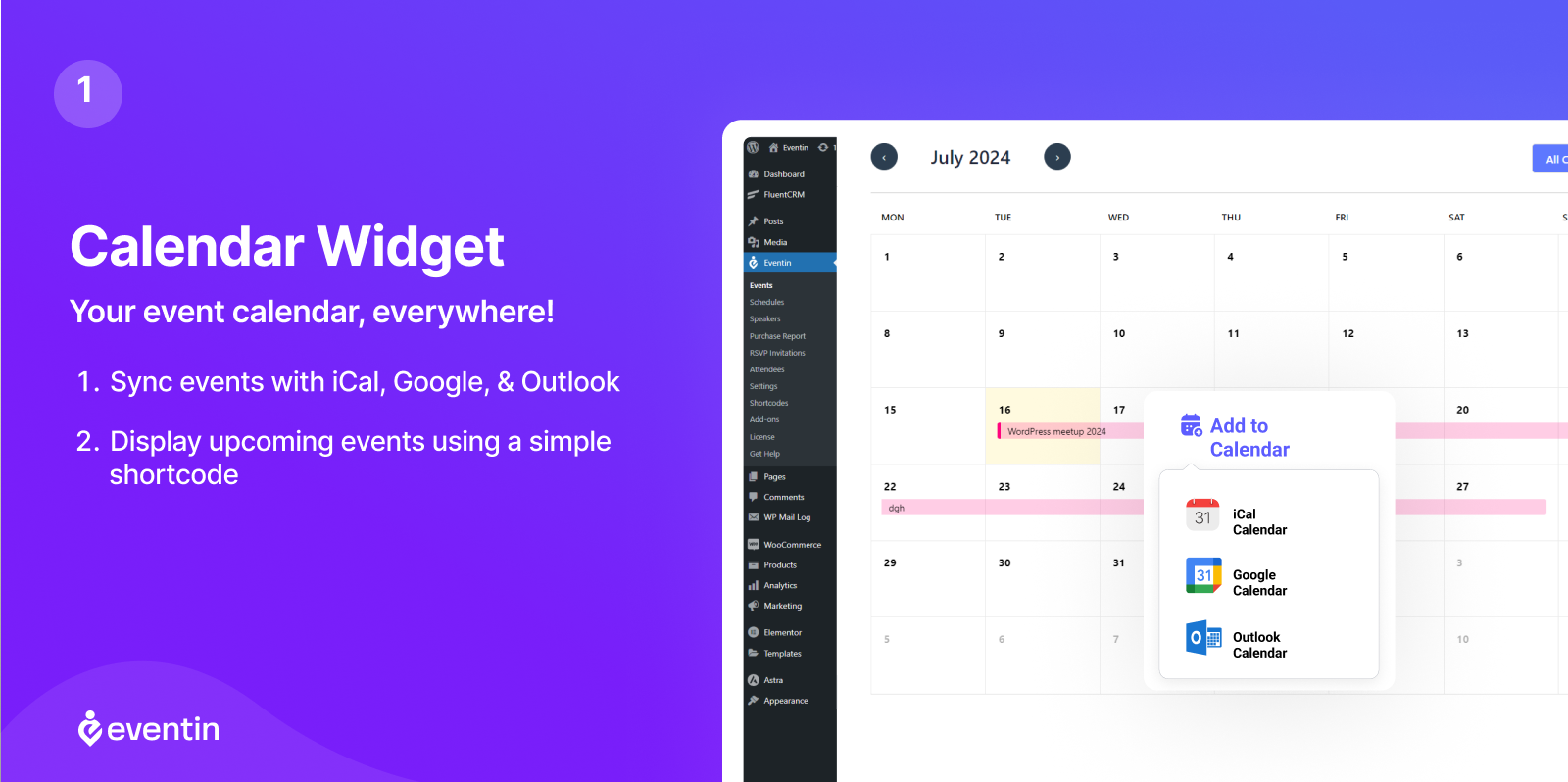
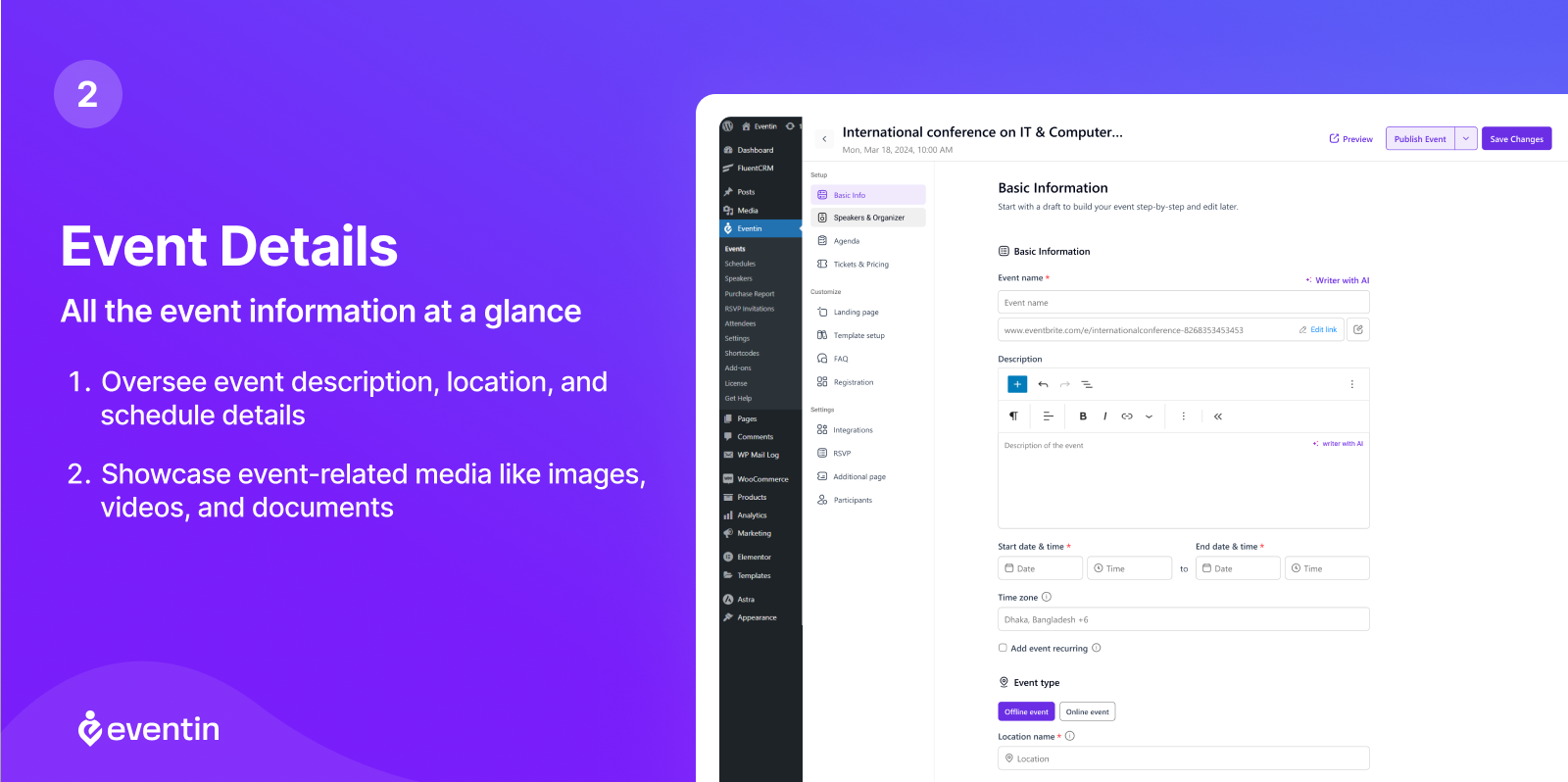
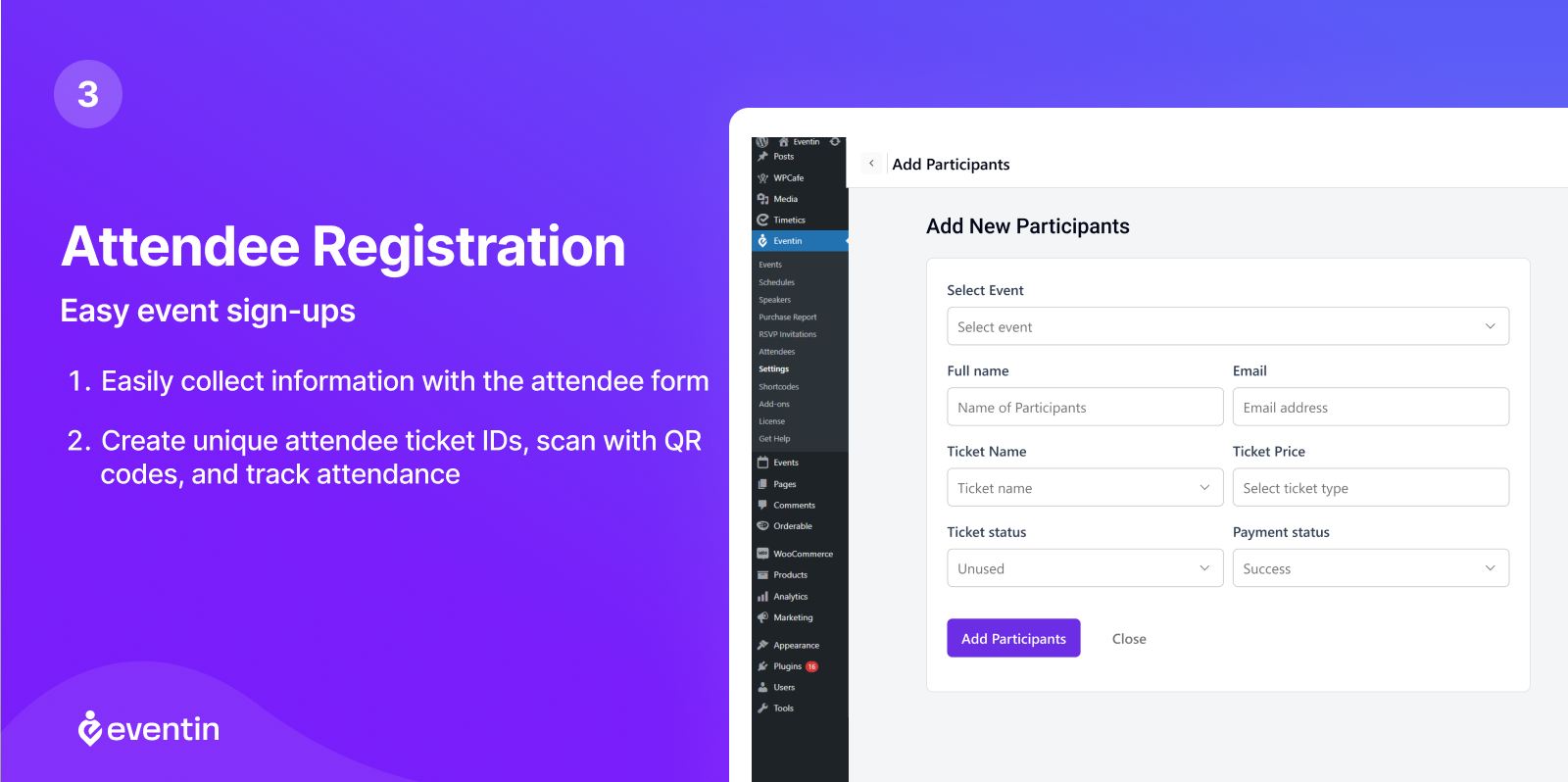
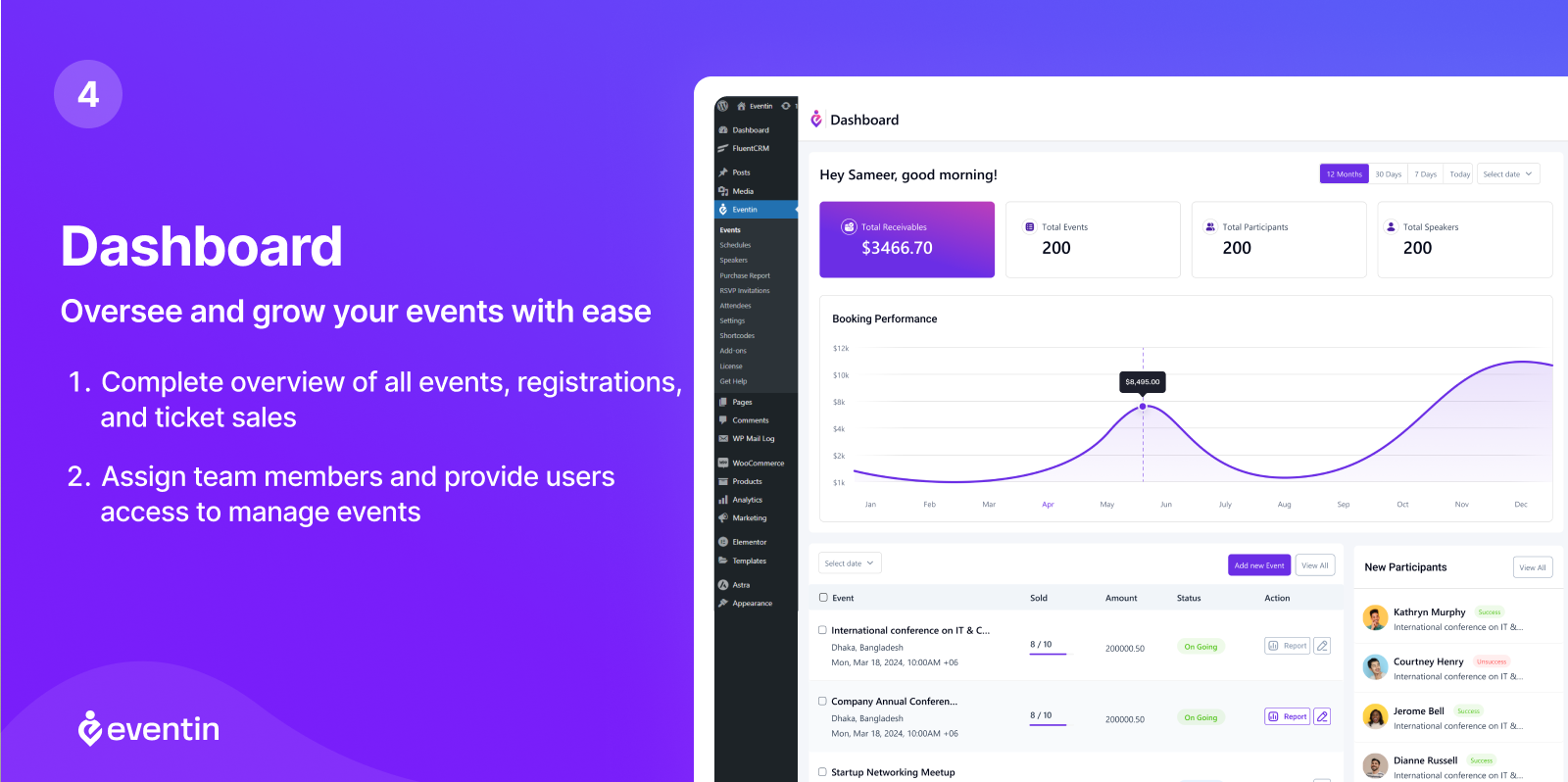
Official screenshots from the WordPress.org plugin directory, as published by the plugin authors.
Try Eventin live
Press play to start a private, throwaway WordPress site in your browser with Eventin version 4.1.24 already installed. Nothing is saved and nothing touches your own site: close the page and it disappears.
Real user ratings
Score
4.7/5
Reviews
409
Active installs
10,000+
Downloads
931K
Latest version
4.1.28
Last updated
2026-10-22
These figures come straight from the public WordPress.org plugin directory API for version 4.1.28, not from us. Check them yourself on the WordPress.org listing. Our own editorial score is 4.4/5.
Where Eventin ranks elsewhere
Eventin does not appear in the published "best of" lists we track from WPBeginner, TechRadar, Kinsta, Themeisle and similar sites. That is not a mark against it - those roundups are short and skew towards the biggest names.
What changed in the latest version
- New: Attendees - Filter attendees by recurring child event. New: Attendee Export - Added "Add-ons" and "Add-ons Total" columns to the CSV and JSON export. New: Manual Booking - Admins can now pick ticket add-ons when creating a booking b...
- Tweak: Security - Restricted event API responses so CRM webhooks, meeting links, and revenue are visible only to users who can manage the event. Fix: Speaker & Organizer - Fixed the export so a user can only export the speakers and organ...
- Tweak: Security - Hardened permission checks for password-protected events. Fix: ShortCode - Fixed "Invalid date" display for event times in the Events Calendar shortcode with 24-hour time format. Fix: Dokan Vendor - Dokan vendor events ...
Release notes are the developer's own words, published on WordPress.org. Read the full changelog
Pros and cons
- Modern editor integration
- A free tier you can trial before paying
- Actively maintained and used on production sites we test
- Younger than the incumbents
- The features most sites need sit in the paid tier
How to use it
- 1Create one test event with a venue, organiser and image.
- 2Configure time zones and recurring rules before publishing real dates.
- 3Test the ticket purchase and confirmation email flow.
- 4Check the calendar view on a phone as well as a desktop.
- 5Exclude calendar and checkout pages from caching.
How it compares
Other events plugins we recommend, with their rating and pricing model.
| Plugin | Our rating | WordPress.org | Pricing | Best for |
|---|---|---|---|---|
| Eventin | 4.4 | 4.7 (409) | Freemium | Modern editor integration |
| Event Espresso | 4.1 | 4.4 (136) | Premium | Serious registration workflows |
| FooEvents | 4.5 | n/a | Premium | Uses your existing WooCommerce checkout |
| Modern Events Calendar | 4.0 | n/a | Freemium | Very large feature list |
| The Events Calendar | 4.4 | 4.2 (2,459) | Freemium | Mature, well-supported and extensible |
| Tickera | 4.3 | 4.5 (290) | Premium | No commission per ticket |
Guides that cover Eventin

Alternatives
Other events plugins
Event Espresso
Event Espresso
Event registration and ticketing with attendee management, waitlists and on-site check-in.
136 reviews · 233K downloads · v5.0.59.decaf
FooEvents
FooEvents
Turns WooCommerce products into tickets, with seating, check-in apps and custom attendee fields.
Modern Events Calendar
Webnus
Feature-heavy events plugin with many calendar skins, booking and recurring events.