
Formidable Forms
by Strategy11
Form builder with calculations, views and relational data, so entries can be displayed as directories and applications.
This link may earn us a commission. It never changes our rating.
What Formidable Forms does
Form builder with calculations, views and relational data, so entries can be displayed as directories and applications.
It sits in the forms part of a WordPress stack and is sold by Strategy11 on a freemium basis. We recommend it in our forms guides because it does that one job well without asking you to rebuild the rest of the site around it.
Every plugin adds work to a page request, so treat this as a decision with a cost. Record a speed test before you install it and run the same test afterwards, on the same page, so you know exactly what it charged you.
What Formidable Forms looks like
Official screenshots from the WordPress.org plugin directory, as published by the plugin authors.


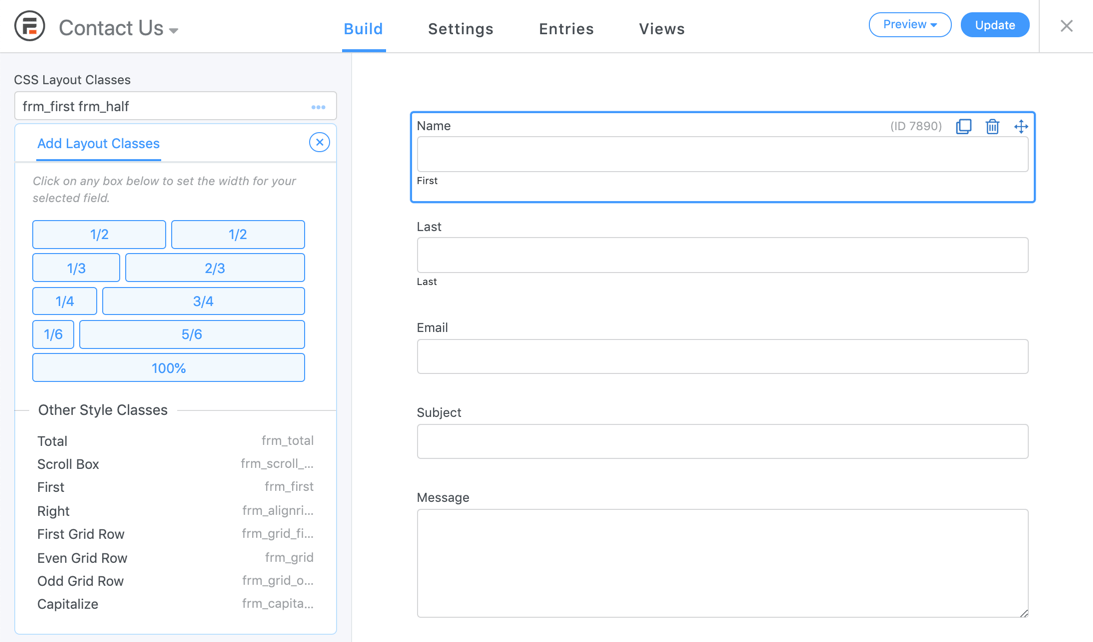
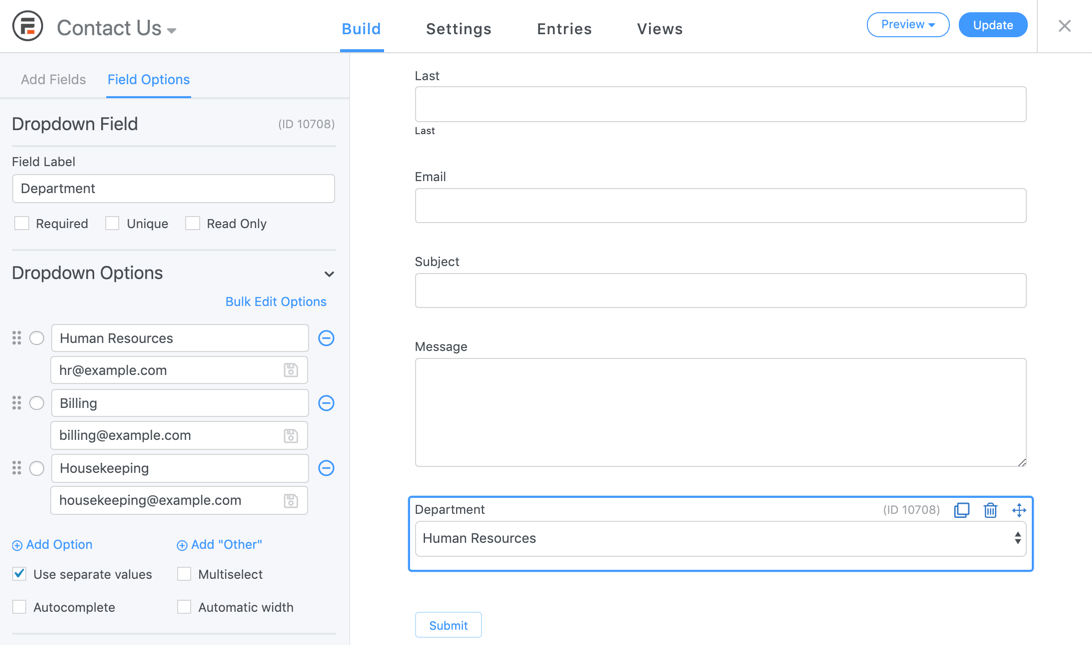
Try Formidable Forms live
Press play to start a private, throwaway WordPress site in your browser with Formidable Forms version 6.35 already installed. Nothing is saved and nothing touches your own site: close the page and it disappears.
Real user ratings
Score
4.8/5
Reviews
1,385
Active installs
300,000+
Downloads
28.1M
Latest version
7.0
Last updated
2026-10-16
These figures come straight from the public WordPress.org plugin directory API for version 7.0, not from us. Check them yourself on the WordPress.org listing. Our own editorial score is 4.6/5.
Where Formidable Forms ranks elsewhere
Formidable Forms does not appear in the published "best of" lists we track from WPBeginner, TechRadar, Kinsta, Themeisle and similar sites. That is not a mark against it - those roundups are short and skew towards the biggest names.
What changed in the latest version
- Security: More strict sanitizing is now applied to entry key values before it gets used in the HTML of a form.
- Security: The value that records who last saved an entry is now always set from the current user, not allowing for any custom values unless importing.
- New: The shortcodes list now offers show options for more types, and long names are truncated so the list stays readable.
- New: The Processor column on the Payments list page can now be sorted.
- New: A message is now shown on the Payments list page after bulk deleting.
- New: The required email input used for Stripe Link payments will now display a required asterisk like other required inputs.
- New: A new frm_builder_after_field_label hook has been added for adding content after a label in the builder.
- New: A new frm_payment_user_id filter has been added for setting which user a payment belongs to.
- Security: Additional validation has been added to guarantee that submitted HTML in form data by untrusted users cannot be used for XSS.
- New: Address fields are now included in Lite!
- New: Address field data is included in PayPal Commerce credit card payments when defined in payment action settings to help prevent entries from incorrectly getting flagged as fraudulent.
- New: Buttons on admin pages will now shrink slightly when clicked, to give a more tactile response.
- Fix: Additional checks have been added to make sure that pages will not result in 404 errors when Gated Content actions are not actually defined for the page. In addition, when a custom permission is used for handling access to a private...
- Fix: Captcha field labels no longer use labels to prevent orphaned label issues since the label cannot reference the input in an iframe.
- Fix: A JS error would occur when removing the last layout class from a field.
- Fix: The JS spam token would get added to a form multiple times when multiple forms were on a page.
- Fix: Public taxonomy pages could result in 404 errors, caused by a missing check in the new Gated Content actions.
Release notes are the developer's own words, published on WordPress.org. Read the full changelog
Pros and cons
- Calculations and front-end views
- A free tier you can trial before paying
- Actively maintained and used on production sites we test
- Views take time to learn
- The features most sites need sit in the paid tier
How to use it
- 1Start from a template close to the form you need.
- 2Add only the fields you will act on, and mark the rest optional.
- 3Set up notification and confirmation emails, then send a real test.
- 4Add conditional logic so long forms only show relevant questions.
- 5Pair it with an SMTP plugin so notifications actually arrive.
How it compares
Other forms plugins we recommend, with their rating and pricing model.
| Plugin | Our rating | WordPress.org | Pricing | Best for |
|---|---|---|---|---|
| Formidable Forms | 4.6 | 4.8 (1,385) | Freemium | Calculations and front-end views |
| Contact Form 7 | 4.0 | 4 (2,183) | Free | Almost no front-end weight compared with visual builders |
| Everest Forms | 4.6 | 4.9 (375) | Freemium | Very light on the frontend |
| Fluent Forms | 4.7 | 4.8 (806) | Freemium | Lots of features per pound |
| Formidable Forms Twilio | 4.2 | 4.8 (1,385) | Premium | Conditional SMS triggers |
| Forminator | 4.5 | 4.8 (2,140) | Freemium | Quizzes and polls free |
Guides that cover Formidable Forms

7 Best Fundraising Thermometer Plugins for WordPress in 2026
A progress thermometer turns a fundraising target into a shared goal. It only works when the number is accurate, dated and readable.
Updated 10 September 2026

7 Best Crowdfunding Plugins for WordPress in 2026
A crowdfunding site coordinates campaign owners, backers, rewards, deadlines, payments and fees. The operating rules matter as much as the page.
Updated 10 September 2026
Alternatives
Other forms plugins
Contact Form 7
Rock Lobster
The original WordPress contact form plugin: markup driven, extremely light and free with no entry limits.
2,183 reviews · 430.0M downloads · v6.2.3
Everest Forms
WPEverest
A lightweight form builder with a clean interface and a free tier that covers standard contact forms well.
375 reviews · 7.9M downloads · v3.6.3
Fluent Forms
WPManageNinja
A fast, self-hosted form builder with conditional logic and most integrations included at a low licence price.
806 reviews · 20.2M downloads · v6.2.16