
Imagify
by WP Media
Image optimisation from the WP Rocket team, with three compression levels and automatic next-gen format delivery.
This link may earn us a commission. It never changes our rating.
What Imagify does
Image optimisation from the WP Rocket team, with three compression levels and automatic next-gen format delivery.
It sits in the images part of a WordPress stack and is sold by WP Media on a freemium basis. We recommend it in our images guides because it does that one job well without asking you to rebuild the rest of the site around it.
Every plugin adds work to a page request, so treat this as a decision with a cost. Record a speed test before you install it and run the same test afterwards, on the same page, so you know exactly what it charged you.
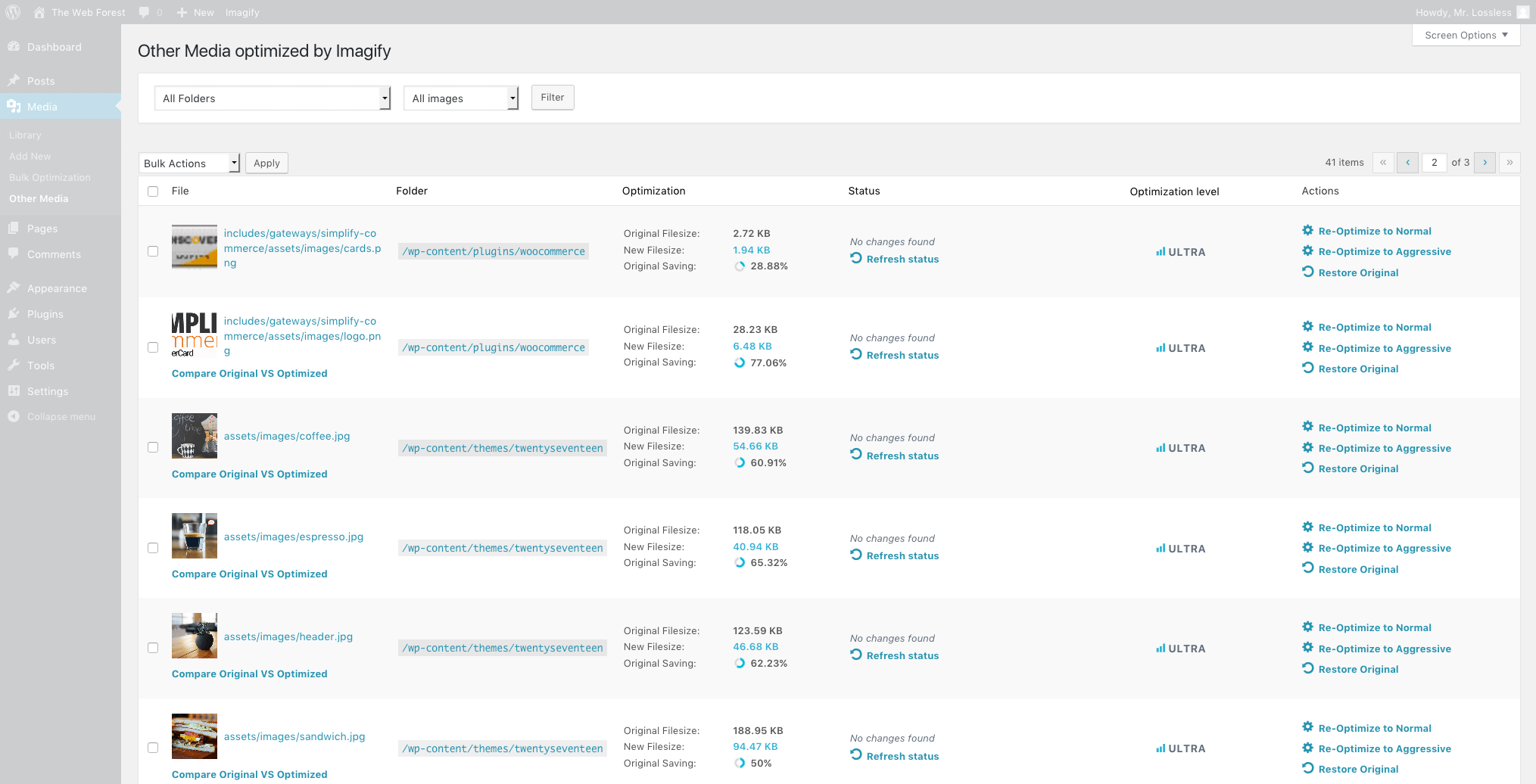
What Imagify looks like
Official screenshots from the WordPress.org plugin directory, as published by the plugin authors.


Try Imagify live
Press play to start a private, throwaway WordPress site in your browser with Imagify version 2.3.4 already installed. Nothing is saved and nothing touches your own site: close the page and it disappears.
Real user ratings
Score
4.3/5
Reviews
1,656
Active installs
900,000+
Downloads
21.3M
Latest version
2.3.4
Last updated
2026-09-07
These figures come straight from the public WordPress.org plugin directory API for version 2.3.4, not from us. Check them yourself on the WordPress.org listing. Our own editorial score is 4.6/5.
Where Imagify ranks elsewhere
Imagify does not appear in the published "best of" lists we track from WPBeginner, TechRadar, Kinsta, Themeisle and similar sites. That is not a mark against it - those roundups are short and skew towards the biggest names.
What changed in the latest version
- Fix: Optimization no longer stops when a next-gen destination path is unavailable.
- Fix: The "Settings saved" notice is back on multisite when Imagify is network-activated.
- Fix: Failing to reach the MCP OAuth discovery documents is no longer reported as a critical issue in Site Health.
- Enhancement: Updated the WP Rocket banner copy on the bulk optimization page.
- New feature: MCP media abilities now accept a filename or media URL, not just an attachment ID.
- Enhancement: Respect WordPress 7.1's resize opt-out on client-side uploads to avoid double scaling.
- Fix: Thumbnails from WordPress 7.1 client-side uploads are now optimized instead of skipped.
- Fix: Companion files recorded by WordPress 7.1 are kept when regenerating or restoring a media.
- Fix: The Media Library rating banner is readable again.
- New feature: Add a Missing Next-Gen filter to the Media Library.
- New feature: Add a manual stop button for bulk optimization.
- Enhancement: Prioritize newly uploaded and manually optimized images in bulk jobs.
- Enhancement: Chunk large database queries to avoid timeouts on restrictive hosts.
- Fix: The Next-Gen generation progress bar is visible again.
- Fix: The Next-Gen progress bar no longer shows a negative count.
- Fix: Next-Gen files are generated when the API reports an image as already compressed.
- Fix: Scaled uploads are no longer skipped by the bulk backup check.
Release notes are the developer's own words, published on WordPress.org. Read the full changelog
Pros and cons
- Simple three-level compression choice
- A free tier you can trial before paying
- Actively maintained and used on production sites we test
- Monthly quota resets rather than rolls over
- The features most sites need sit in the paid tier
How to use it
- 1Back up the media library, or confirm the plugin keeps restorable originals.
- 2Set a sensible compression level and a maximum image width.
- 3Enable WebP or AVIF delivery and check a page in a real browser.
- 4Run bulk optimisation outside your busiest traffic hours.
- 5Re-test the heaviest page to confirm the weight reduction.
How it compares
Other images plugins we recommend, with their rating and pricing model.
| Plugin | Our rating | WordPress.org | Pricing | Best for |
|---|---|---|---|---|
| Imagify | 4.6 | 4.3 (1,656) | Freemium | Simple three-level compression choice |
| EWWW Image Optimizer | 4.5 | 4.8 (1,841) | Freemium | Unlimited local compression at no cost |
| Regenerate Thumbnails | 4.6 | 4.6 (396) | Free | Fixes broken image sizes after any theme switch |
| ShortPixel | 4.7 | 4.5 (829) | Freemium | Compression happens off your server |
Guides that cover Imagify

Alternatives
Other images plugins
EWWW Image Optimizer
Exactly WWW
Compresses images locally on your own server or through its cloud service, with no per-image credit counting in local mode.
1,841 reviews · 50.8M downloads · v8.9.0
Regenerate Thumbnails
Alex Mills
Rebuilds all image sizes after a theme change so pages stop serving oversized or missing crops.
396 reviews · 22.9M downloads · v3.1.6
ShortPixel
ShortPixel
Remote image compression with WebP and AVIF delivery that keeps a restorable copy of every original file.
829 reviews · 20.4M downloads · v6.6.1