
Insert Headers and Footers
by WPCode
The lightweight WPCode build for adding scripts to the header and footer without editing theme files.
This link may earn us a commission. It never changes our rating.
What Insert Headers and Footers does
The lightweight WPCode build for adding scripts to the header and footer without editing theme files.
It sits in the code snippets part of a WordPress stack and is sold by WPCode on a freemium basis. We recommend it in our code snippets guides because it does that one job well without asking you to rebuild the rest of the site around it.
Every plugin adds work to a page request, so treat this as a decision with a cost. Record a speed test before you install it and run the same test afterwards, on the same page, so you know exactly what it charged you.
What Insert Headers and Footers looks like
Official screenshots from the WordPress.org plugin directory, as published by the plugin authors.
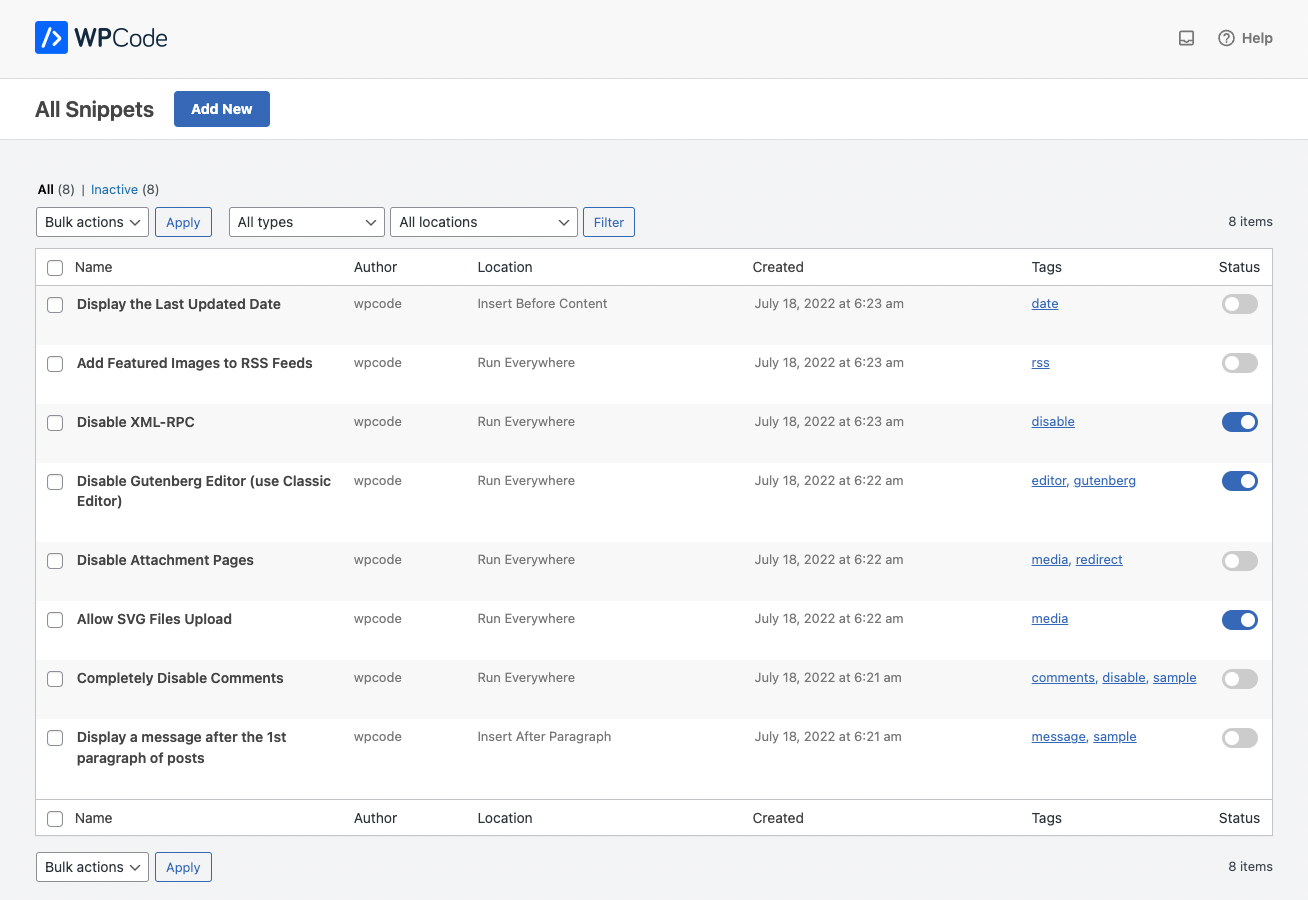
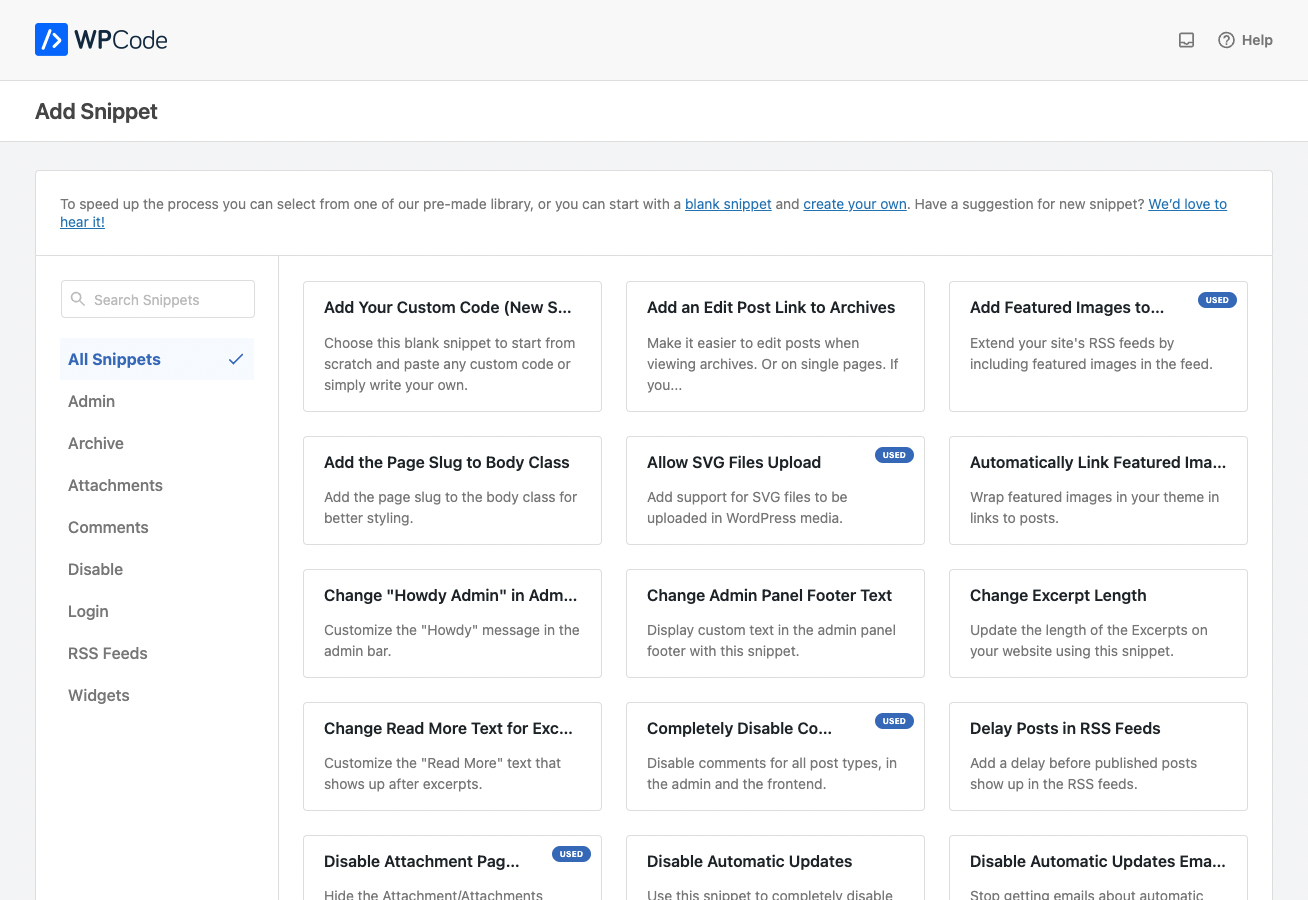
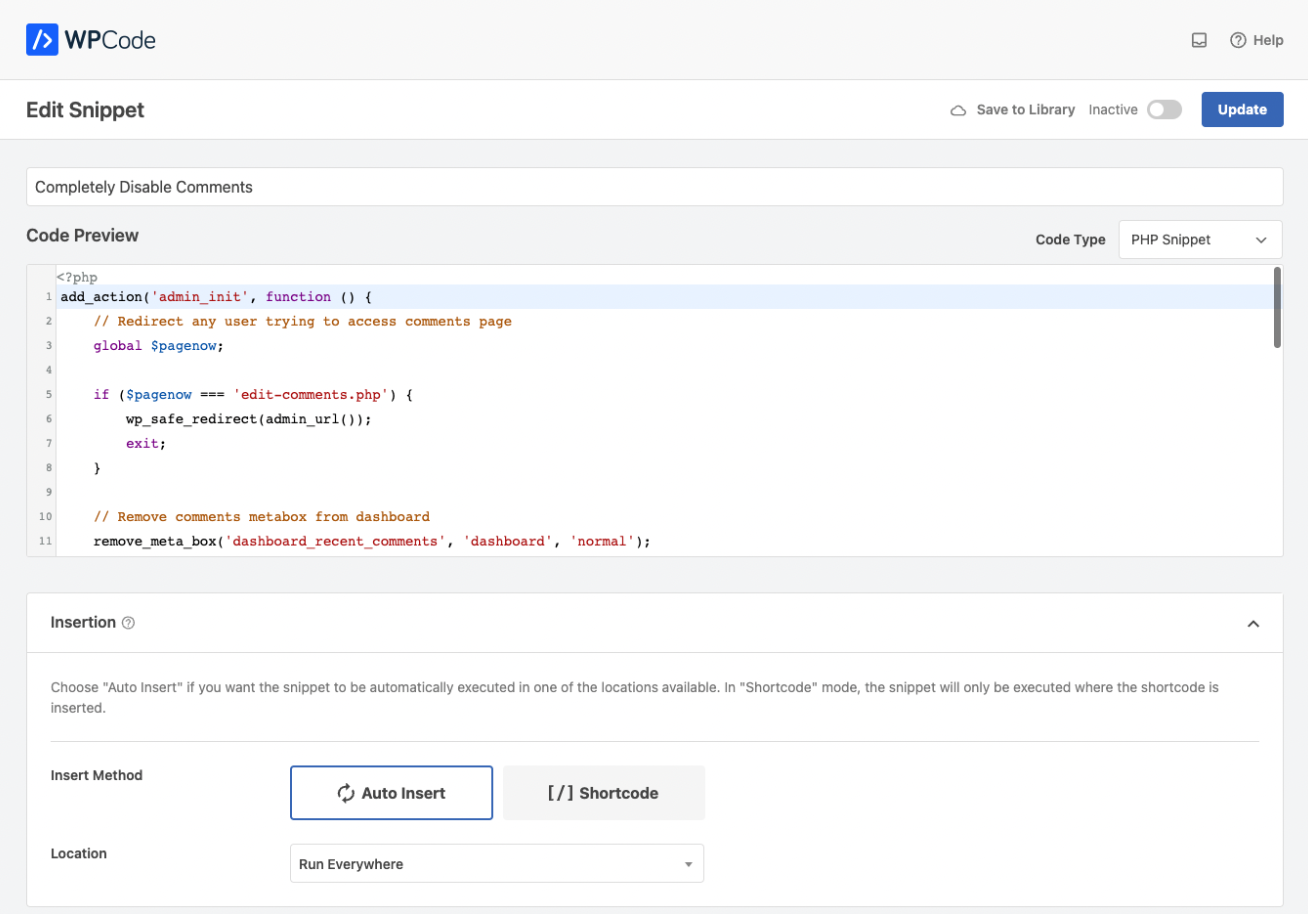

Try Insert Headers and Footers live
Press play to start a private, throwaway WordPress site in your browser with Insert Headers and Footers version 2.3.9 already installed. Nothing is saved and nothing touches your own site: close the page and it disappears.
Real user ratings
Score
4.9/5
Reviews
1,912
Active installs
3,000,000+
Downloads
94.8M
Latest version
2.4.0
Last updated
2026-10-08
These figures come straight from the public WordPress.org plugin directory API for version 2.4.0, not from us. Check them yourself on the WordPress.org listing. Our own editorial score is 4.8/5.
Where Insert Headers and Footers ranks elsewhere
Insert Headers and Footers does not appear in the published "best of" lists we track from WPBeginner, TechRadar, Kinsta, Themeisle and similar sites. That is not a mark against it - those roundups are short and skew towards the biggest names.
What changed in the latest version
- Fix: PHP fatal error when a snippet error was logged on a frontend or REST request while the logs folder was missing.
- Fix: Snippets no longer get overwritten with visual editor content when other plugins trigger editor events in the admin.
- Fix: Library snippet previews now always start at the top of the code.
- Fix: PHP fatal error on some admin AJAX requests from the library connect notice.
- Tweak: You can now resize the code editor on the Live CSS Preview screen by dragging the divider between it and the preview, and it remembers the size you set.
- Tweak: Editing an active snippet now requires permission to activate snippets; without it the editor is read-only.
- New: Set up a whole group of related snippets at once with Snippet Packs - pick a pack and install every snippet in it with a single click, then manage or remove a pack anytime while keeping any snippets you use across other packs.
Release notes are the developer's own words, published on WordPress.org. Read the full changelog
Pros and cons
- Fastest way to add a tracking tag
- A free tier you can trial before paying
- Actively maintained and used on production sites we test
- Limited beyond header and footer
- The features most sites need sit in the paid tier
How to use it
- 1Add one snippet at a time and give it a clear descriptive title.
- 2Set the placement and any conditional rules before activating.
- 3Activate on staging first if the snippet touches checkout or login.
- 4Use the error protection feature so a bad snippet cannot lock you out.
- 5Export your snippets so they can be restored on another site.
How it compares
Other code snippets plugins we recommend, with their rating and pricing model.
| Plugin | Our rating | WordPress.org | Pricing | Best for |
|---|---|---|---|---|
| Insert Headers and Footers | 4.8 | 4.9 (1,912) | Freemium | Fastest way to add a tracking tag |
| Advanced Scripts | 4.6 | n/a | Premium | Precise placement conditions |
| Code Snippets | 4.8 | 4.7 (509) | Freemium | Simple, proven and free |
| Header Footer Code Manager | 4.6 | 4.9 (309) | Freemium | Made for tracking tags |
| Simple Custom CSS and JS | 4.7 | 4.4 (104) | Freemium | CSS and JS with version history |
| WPCode | 4.9 | 4.9 (1,912) | Freemium | Error protection stops white screens |
Guides that cover Insert Headers and Footers

Alternatives
Other code snippets plugins
Advanced Scripts
Wise Plugin
A premium snippet manager with fine-grained placement, conditions and a code editor built for developers.
Code Snippets
Code Snippets Pro
The original snippet manager, with per-snippet activation and a clean import and export format.
509 reviews · 24.4M downloads · v4.0.0
Header Footer Code Manager
99robots
Inserts tracking and verification code in the header, body or footer with site-wide or per-page rules.
309 reviews · 9.2M downloads · v1.1.46