
Redirection
by John Godley
Manages 301 redirects and logs 404s so you can repair broken URLs after a migration or restructure.
This link may earn us a commission. It never changes our rating.
What Redirection does
Manages 301 redirects and logs 404s so you can repair broken URLs after a migration or restructure.
It sits in the seo part of a WordPress stack and is sold by John Godley on a free basis. We recommend it in our seo guides because it does that one job well without asking you to rebuild the rest of the site around it.
Every plugin adds work to a page request, so treat this as a decision with a cost. Record a speed test before you install it and run the same test afterwards, on the same page, so you know exactly what it charged you.
What Redirection looks like
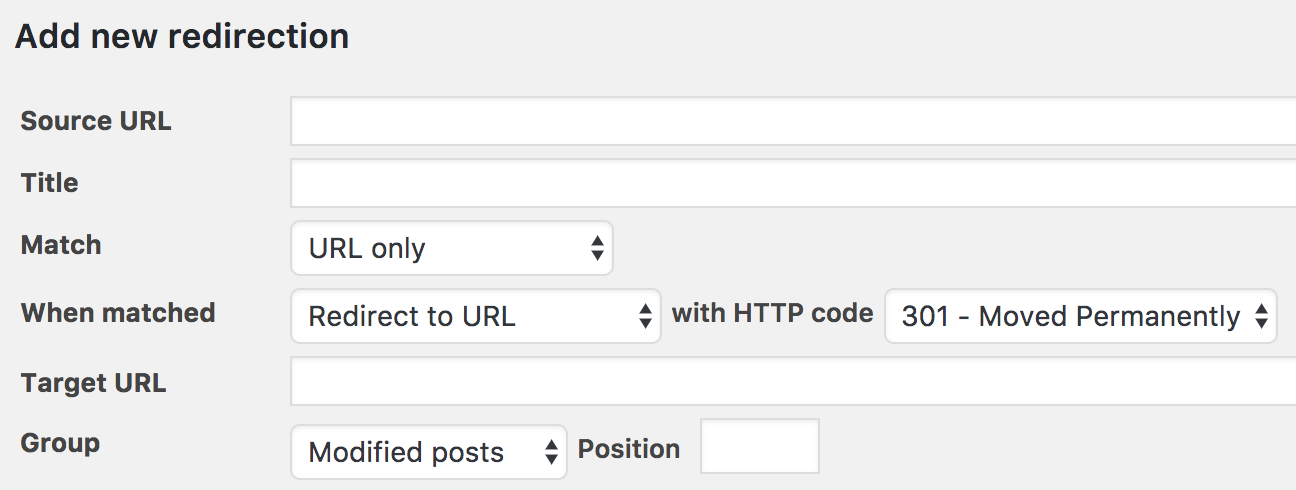
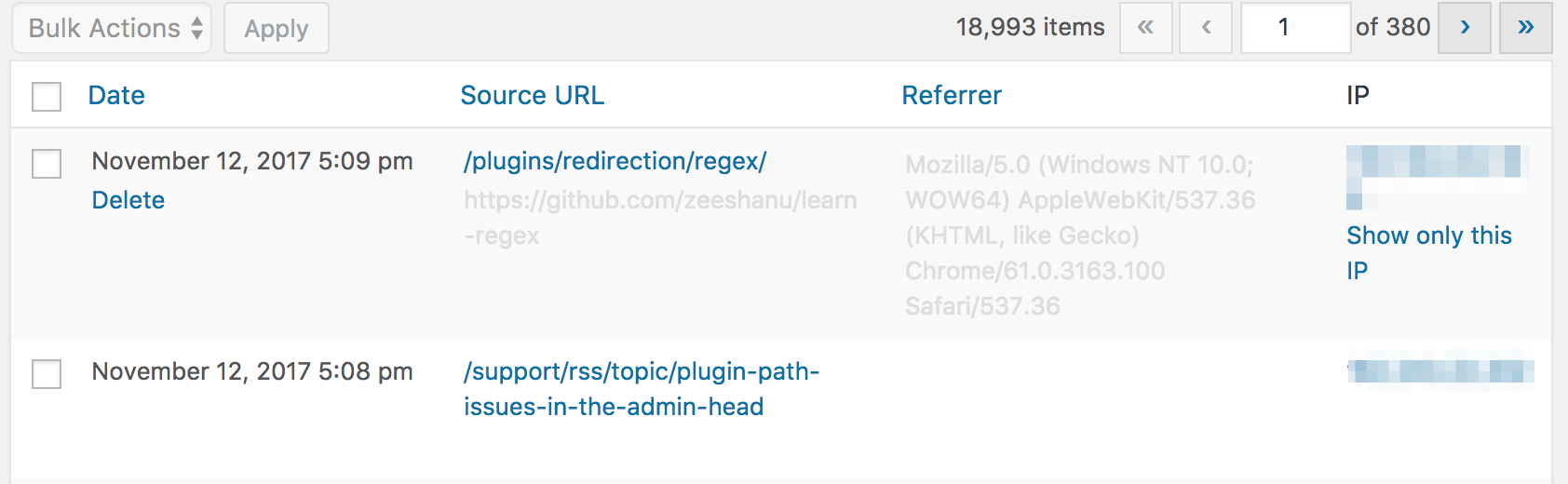
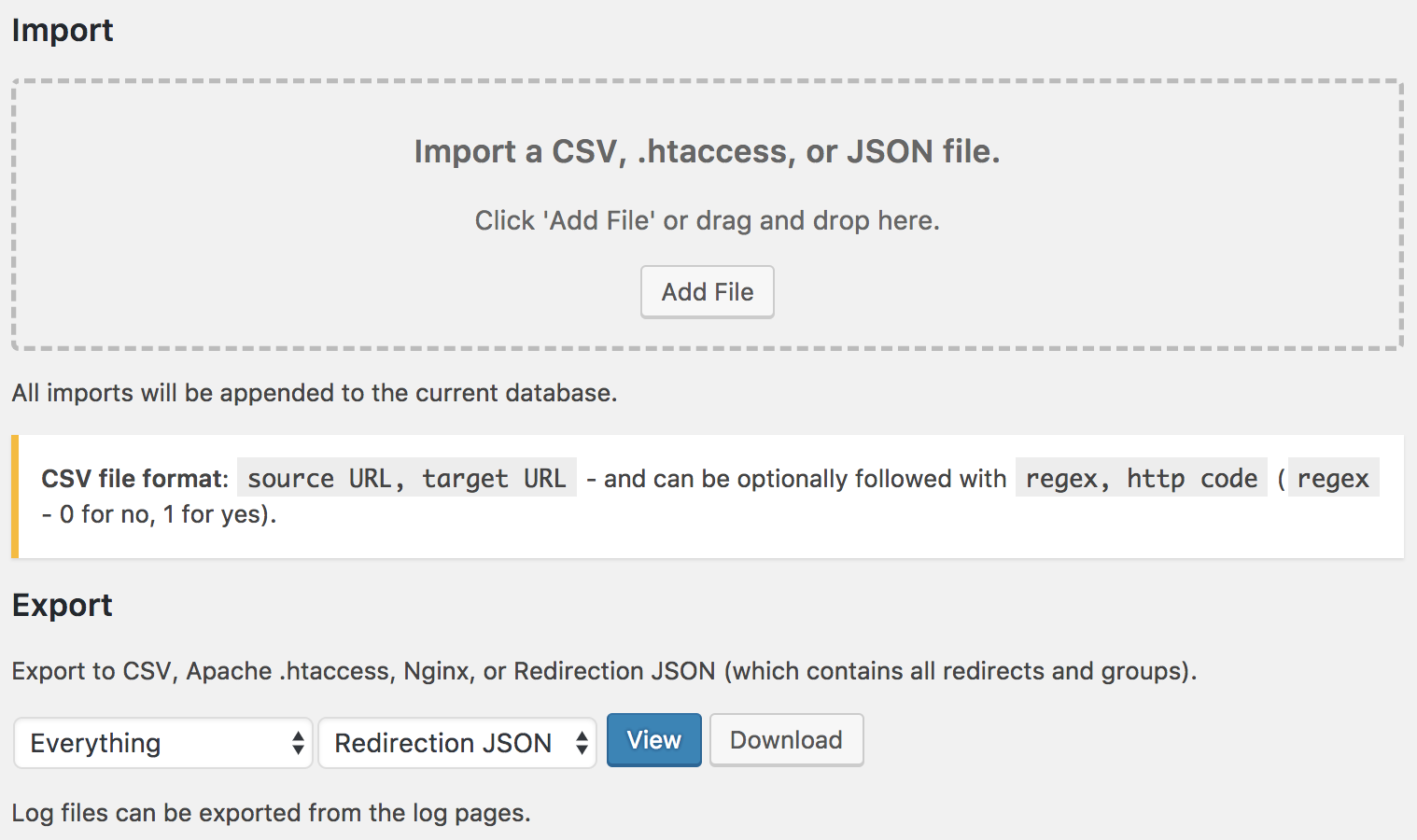
Official screenshots from the WordPress.org plugin directory, as published by the plugin authors.

Try Redirection live
Press play to start a private, throwaway WordPress site in your browser with Redirection version 5.10.0 already installed. Nothing is saved and nothing touches your own site: close the page and it disappears.
Real user ratings
Score
4.4/5
Reviews
703
Active installs
2,000,000+
Downloads
80.3M
Latest version
5.10.1
Last updated
2026-09-19
These figures come straight from the public WordPress.org plugin directory API for version 5.10.1, not from us. Check them yourself on the WordPress.org listing. Our own editorial score is 4.4/5.
Where Redirection ranks elsewhere
| Publisher | List | Position |
|---|---|---|
| Themeisle | Best WordPress Plugins | #13 of 22 |
| WPBeginner | Best WordPress SEO Plugins and Tools | #14 of 15 |
Positions are read from the published articles themselves, so they reflect that publisher's order rather than ours. Lists get re-ordered over time, so follow the link if you want the current version.
What changed in the latest version
- Add support for importing/exporting _redirects files
- Add a Yoast SEO redirect importer
- Allow more than 25 groups to be used in the admin UI
- Fix passthrough redirects missing their target in the UI
- Fix Apache error encoder for errors other than 403
- Rework the database install process to avoid potential problems
- Tighten capability checks and improve proxy IP address handling
- New and more powerful import/export
- Export everything, including settings
- Copy/paste or type redirects directly in a text box
- Preview imports and exports
- Duplicate redirect support when importing
- Improve .htaccess support
- Escape CSV export values
Release notes are the developer's own words, published on WordPress.org. Read the full changelog
Pros and cons
- The 404 log turns lost traffic into a fix list
- Free with no licence to renew
- Actively maintained and used on production sites we test
- Large redirect tables are better handled at the server or CDN
- Support is community-led rather than guaranteed
How to use it
- 1Import existing metadata if you are switching from another SEO plugin.
- 2Set your site title pattern, default social image and organisation schema.
- 3Disable modules you will not use so the admin stays fast.
- 4Submit the generated sitemap in Google Search Console.
- 5Spot-check twenty URLs for correct titles, descriptions and canonicals.
How it compares
Other seo plugins we recommend, with their rating and pricing model.
| Plugin | Our rating | WordPress.org | Pricing | Best for |
|---|---|---|---|---|
| Redirection | 4.4 | 4.4 (703) | Free | The 404 log turns lost traffic into a fix list |
| AIOSEO | 4.6 | n/a | Freemium | Broad feature coverage in one place |
| AIOSEO Writing Assistant | 4.2 | n/a | Premium | Competitor-based content scoring |
| All in One SEO | 4.6 | 4.7 (5,231) | Freemium | Local SEO and redirects included |
| Broken Link Checker | 3.8 | 3.8 (604) | Freemium | Finds link rot across years of archives |
| Link Whisper | 4.5 | 4.2 (150) | Premium | Internal linking at scale |
Guides that cover Redirection

Alternatives
Other seo plugins
AIOSEO
AIOSEO
The All in One SEO toolkit: titles, schema, sitemaps, redirects and search console insight in one dashboard.
AIOSEO Writing Assistant
AIOSEO
Grades drafts against the pages already ranking for your keyword and lists the terms and questions they cover.
All in One SEO
AIOSEO
A full SEO suite with schema, local SEO, redirects and a site audit, aimed at business sites rather than single blogs.
5,231 reviews · 214.0M downloads · v5.0.4