
Sucuri
by Sucuri
Cloud firewall and malware clean-up service with a WordPress plugin for scanning and hardening.
This link may earn us a commission. It never changes our rating.
What Sucuri does
Cloud firewall and malware clean-up service with a WordPress plugin for scanning and hardening.
It sits in the security part of a WordPress stack and is sold by Sucuri on a freemium basis. We recommend it in our security guides because it does that one job well without asking you to rebuild the rest of the site around it.
Every plugin adds work to a page request, so treat this as a decision with a cost. Record a speed test before you install it and run the same test afterwards, on the same page, so you know exactly what it charged you.
What Sucuri looks like
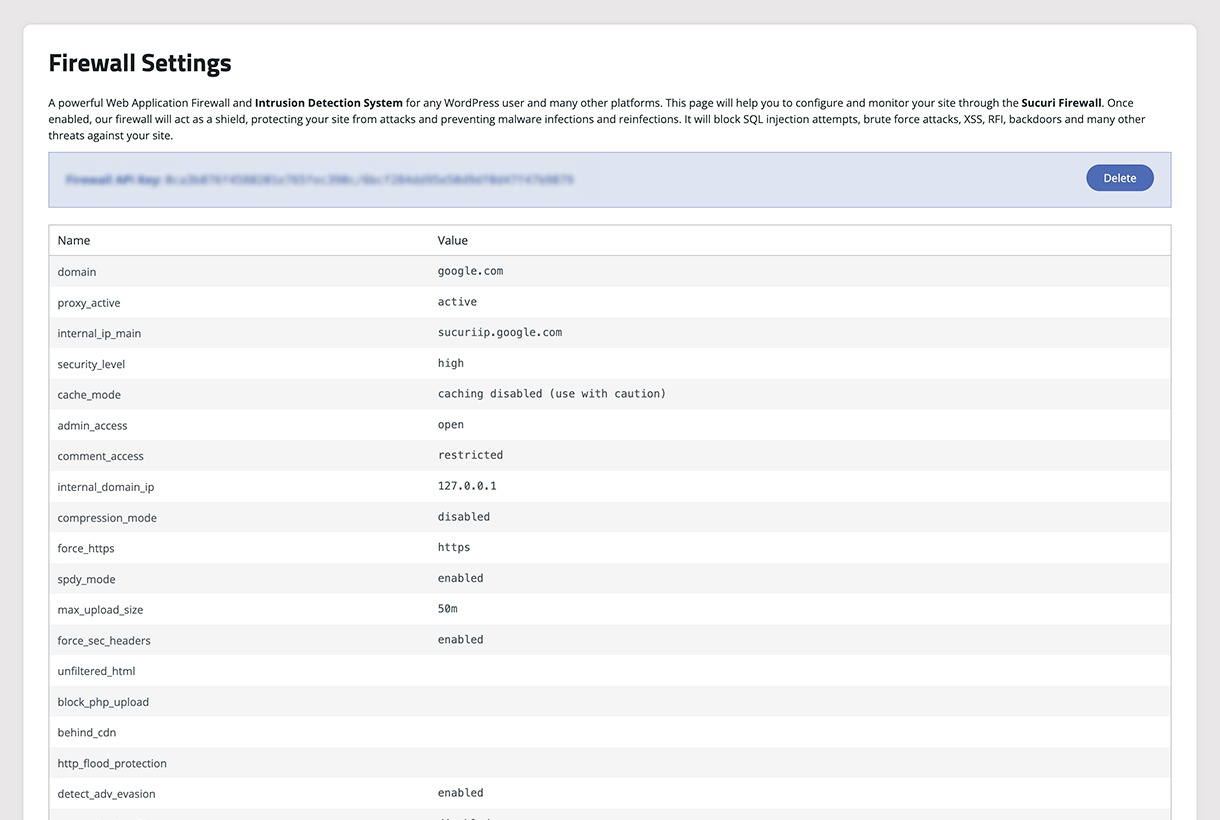
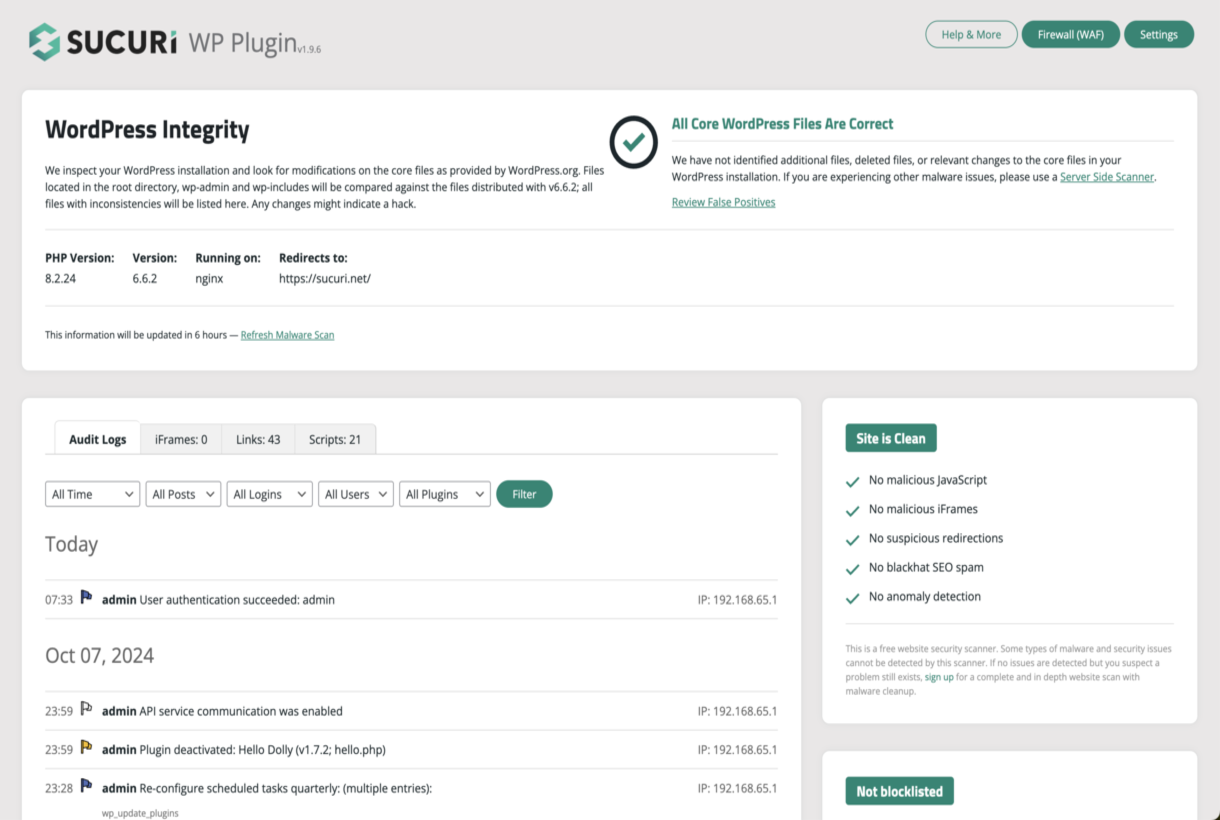
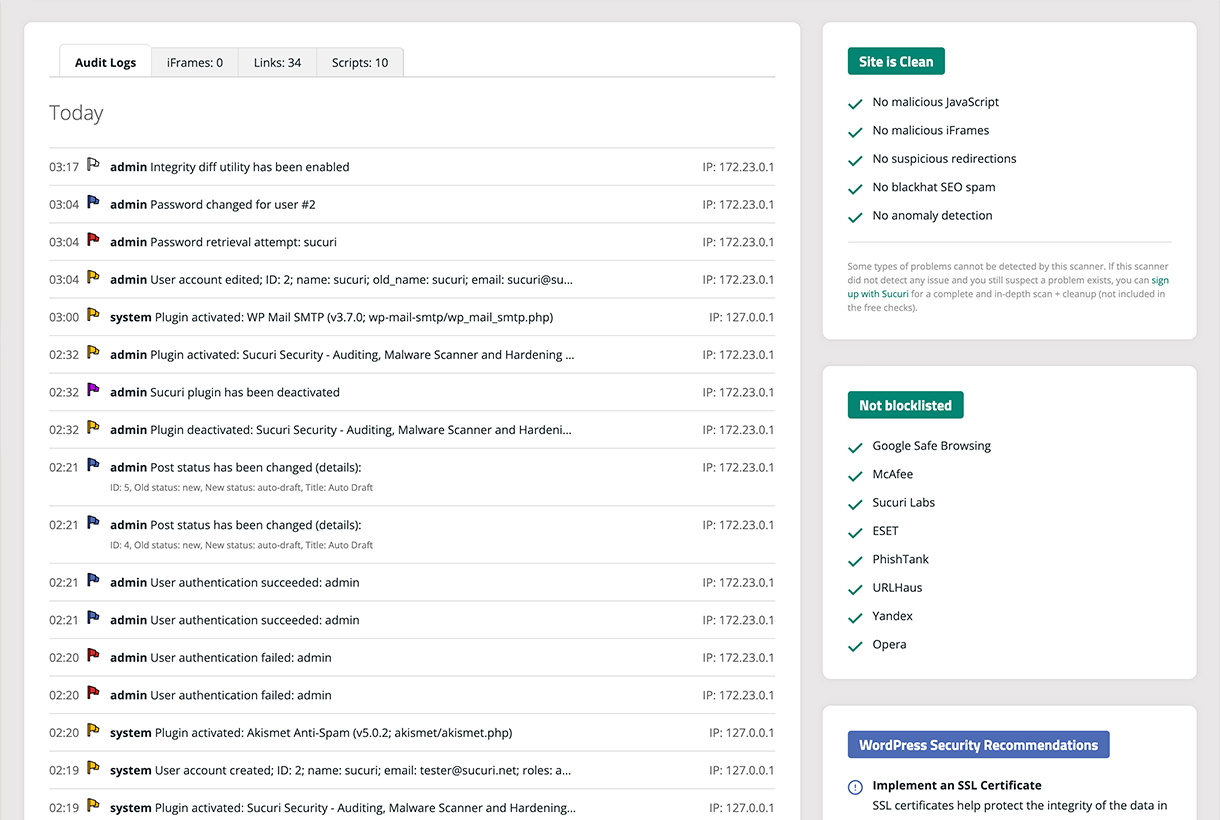
Official screenshots from the WordPress.org plugin directory, as published by the plugin authors.

Try Sucuri live
Press play to start a private, throwaway WordPress site in your browser with Sucuri version 2.8 already installed. Nothing is saved and nothing touches your own site: close the page and it disappears.
Real user ratings
Score
4.2/5
Reviews
385
Active installs
600,000+
Downloads
37.5M
Latest version
2.8.1
Last updated
2026-10-14
These figures come straight from the public WordPress.org plugin directory API for version 2.8.1, not from us. Check them yourself on the WordPress.org listing. Our own editorial score is 4.5/5.
Where Sucuri ranks elsewhere
| Publisher | List | Position |
|---|---|---|
| WPBeginner | Best WordPress Caching Plugins | #4 of 5 |
| TechRadar | The best WordPress plugins | #7 of 20 |
Positions are read from the published articles themselves, so they reflect that publisher's order rather than ours. Lists get re-ordered over time, so follow the link if you want the current version.
What changed in the latest version
- Add one-time backup codes for Two-Factor Authentication. Ten codes are created when 2FA is turned on, any one of them will get you in if you lose your authenticator app, and each code stops working once it has been used. You can generate...
- Add a search box and severity, plugin, and theme filters to the Audit Logs page, so you can find a specific event without paging through the whole history. Filtering and paging now happen instantly.
- Add a one-click CSV download of the complete audit trail, ready for a compliance review, an incident timeline, or an archive before older records age out. Large histories export without slowing the site down.
- Fix an issue that left the audit trail completely empty on sites that do not run in English. Events were recorded but never shown.
- Fix audit entries being cut short or lost. Saving the WordPress Writing settings discarded the record of every other option changed in that same save, and a less-than sign in a site title or option value truncated the entry from that poi...
- Fix plugin and theme names that contain an ampersand being shown with an HTML escape code in place of the character itself, both on the page and in the export, which also stopped them from being found by search.
- Mask API keys, tokens, and salts in the audit trail. They were previously stored in plain text, and are now masked both as new events are recorded and as existing records are read back.
- Fix a case where markup returned by the Sucuri API could reach the dashboard without being escaped.
- Improve the Two-Factor Authentication page to load the users list in pages, so it stays fast and reliable on sites with hundreds or thousands of users (for example, WooCommerce stores).
- Add a search box to the Two-Factor Authentication page to quickly find users by username, email, or display name.
- Strengthen input validation, access checks, and output escaping.
- Add a one-click "Disable XML-RPC" option to the Hardening page to close a common brute-force and pingback-based DDoS attack vector, with a warning if an active plugin (e.g. Jetpack) depends on XML-RPC.
- Fix a fatal error on PHP 8 when the API returns the "messages" field as a string instead of an array.
- Refactor AJAX handler to an explicit dispatch map for improved security and efficiency.
- Improve 2FA section with more UI clarity.
- Make light-mode default when no preference is defined. Correct inverted dark/light mode icons.
- Fix i18n regression in 2FA status and setup templates.
- Fix duplicate CSS property declarations.
Release notes are the developer's own words, published on WordPress.org. Read the full changelog
Pros and cons
- Filtering happens before your server
- A free tier you can trial before paying
- Actively maintained and used on production sites we test
- The firewall is a paid subscription
- The features most sites need sit in the paid tier
How to use it
- 1Take a full backup before enabling any blocking feature.
- 2Turn on login protection and two-factor for administrator accounts first.
- 3Schedule scans outside peak hours to protect response times.
- 4Set alerts to a monitored inbox, not the default admin address.
- 5Re-run the speed test so you know what the protection costs you.
How it compares
Other security plugins we recommend, with their rating and pricing model.
| Plugin | Our rating | WordPress.org | Pricing | Best for |
|---|---|---|---|---|
| Sucuri | 4.5 | 4.2 (385) | Freemium | Filtering happens before your server |
| Akismet | 4.7 | 4.7 (1,187) | Freemium | Catches almost all comment spam with no tuning |
| Antispam Bee | 4.8 | 4.8 (226) | Free | Privacy friendly spam filtering with no account |
| Duo | 4.2 | 4 (1) | Freemium | Central policy control for teams |
| Jetpack Protect | 4.3 | 4.6 (123) | Freemium | Free vulnerability alerts |
| Limit Login Attempts Reloaded | 4.8 | 4.8 (1,488) | Freemium | Big protection for almost no overhead |
Guides that cover Sucuri

Alternatives
Other security plugins
Akismet
Automattic
Comment and form spam filtering run through Automattic's hosted service, checked against a global spam corpus.
1,187 reviews · 408.1M downloads · v5.7.2
Antispam Bee
pluginkollektiv
Blocks comment spam locally with no external service and no personal data leaving your server.
226 reviews · 13.2M downloads · v2.11.13
Duo
Cisco Duo
Enterprise two-factor from Cisco Duo, with push approval and device policy controls.
1 reviews · 21K downloads · v1.2.1