
TranslatePress
by Cozmoslabs
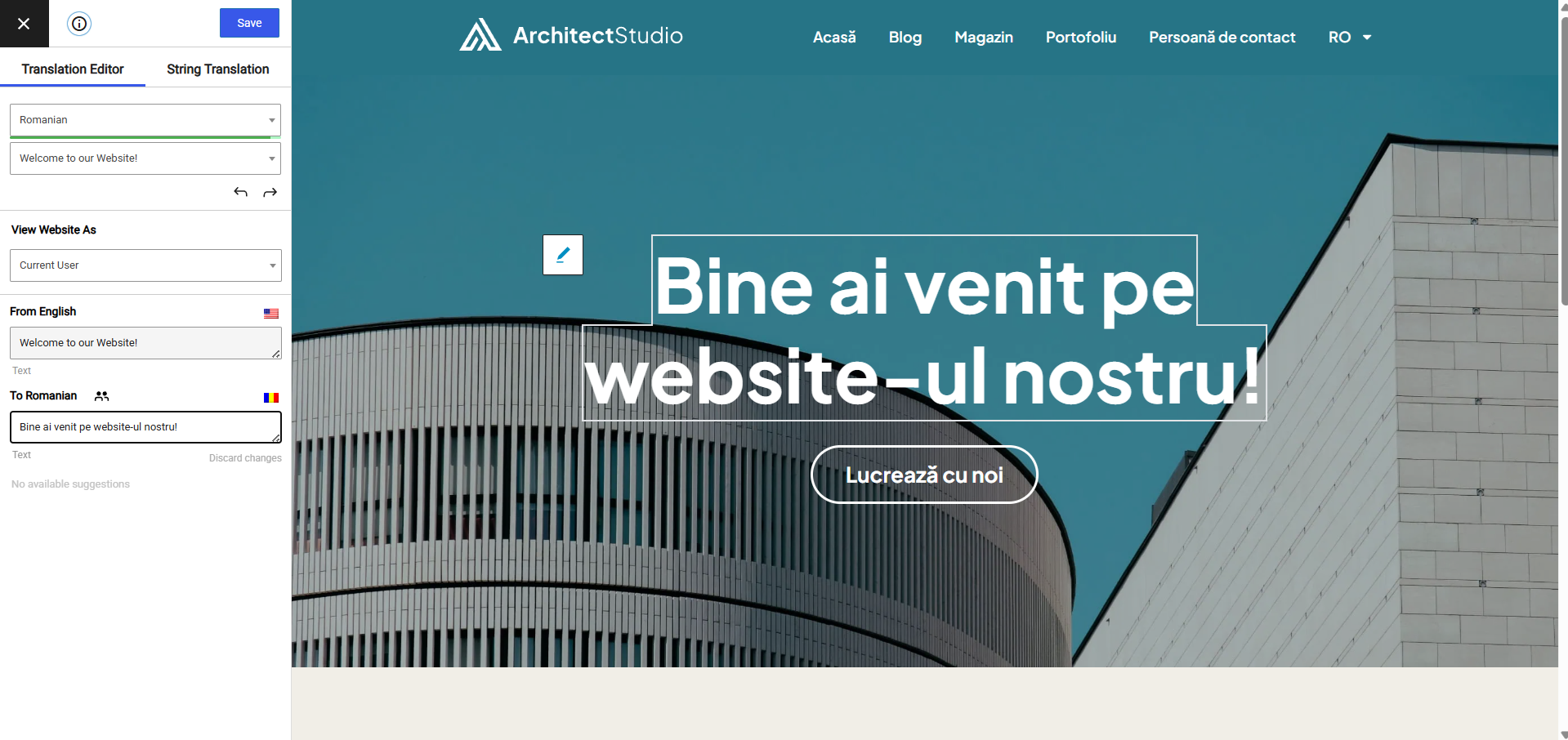
Translate from a live visual editor, including text output by plugins and themes.
This link may earn us a commission. It never changes our rating.
What TranslatePress does
Translate from a live visual editor, including text output by plugins and themes.
It sits in the translation part of a WordPress stack and is sold by Cozmoslabs on a freemium basis. We recommend it in our translation guides because it does that one job well without asking you to rebuild the rest of the site around it.
Every plugin adds work to a page request, so treat this as a decision with a cost. Record a speed test before you install it and run the same test afterwards, on the same page, so you know exactly what it charged you.
What TranslatePress looks like
Official screenshots from the WordPress.org plugin directory, as published by the plugin authors.



Try TranslatePress live
Press play to start a private, throwaway WordPress site in your browser with TranslatePress version 3.3.5 already installed. Nothing is saved and nothing touches your own site: close the page and it disappears.
Real user ratings
Score
4.7/5
Reviews
1,665
Active installs
400,000+
Downloads
21.3M
Latest version
3.3.8
Last updated
2026-10-13
These figures come straight from the public WordPress.org plugin directory API for version 3.3.8, not from us. Check them yourself on the WordPress.org listing. Our own editorial score is 4.7/5.
Where TranslatePress ranks elsewhere
TranslatePress does not appear in the published "best of" lists we track from WPBeginner, TechRadar, Kinsta, Themeisle and similar sites. That is not a mark against it - those roundups are short and skew towards the biggest names.
What changed in the latest version
- Reduce Automatic Translation usage by better handling concurrent translation requests of the same page
- Fixed stalling gettext optimization by failing it on invalid table ID schemas
- Prevent incorrect string matching and database optimization failures when gettext tables use different character sets
- Fixed REST redirect loop on subdirectory installs
- Fixed bug relating to Gutenberg language restriction on classic blocks
- Improved compatibility with Breakdance Builder
- Fixed compatibility issue with Booking Calendar plugin's settings
- Fixed long AJAX checkout calls when Folders plugin is enabled
Release notes are the developer's own words, published on WordPress.org. Read the full changelog
Pros and cons
- Visual, front-end translating
- A free tier you can trial before paying
- Actively maintained and used on production sites we test
- Extra languages need the paid tier
- The features most sites need sit in the paid tier
How to use it
- 1Decide whether you need full translations or machine translation with review.
- 2Set the language switcher position and URL structure before translating.
- 3Translate menus, widgets and plugin strings, not just posts.
- 4Check hreflang tags are output for every language.
- 5Re-test speed, since extra languages add database work.
How it compares
Other translation plugins we recommend, with their rating and pricing model.
| Plugin | Our rating | WordPress.org | Pricing | Best for |
|---|---|---|---|---|
| TranslatePress | 4.7 | 4.7 (1,665) | Freemium | Visual, front-end translating |
| Loco Translate | 4.8 | 4.8 (453) | Freemium | Best tool for fixing bad strings |
| MultilingualPress | 4.3 | n/a | Premium | No performance penalty per language |
| Polylang | 4.6 | 4.7 (3,003) | Freemium | Capable free multilingual setup |
| WPML | 4.4 | 5 (20) | Premium | Widest compatibility and support |
Guides that cover TranslatePress

Alternatives
Other translation plugins
Loco Translate
Tim Whitlock
Edits theme and plugin translation files directly in the admin.
453 reviews · 38.8M downloads · v2.8.9
MultilingualPress
Inpsyde
Runs each language as its own site in a multisite network, keeping databases separate and fast.
Polylang
WP SYNTEX
Creates a translation of each post and term, with a free core that covers most multilingual sites.
3,003 reviews · 30.3M downloads · v3.9.1