
WooPayments
by Woo
Woo's own payment gateway with the dashboard inside WordPress and no separate gateway signup.
This link may earn us a commission. It never changes our rating.
What WooPayments does
Woo's own payment gateway with the dashboard inside WordPress and no separate gateway signup.
It sits in the payments part of a WordPress stack and is sold by Woo on a free basis. We recommend it in our payments guides because it does that one job well without asking you to rebuild the rest of the site around it.
Every plugin adds work to a page request, so treat this as a decision with a cost. Record a speed test before you install it and run the same test afterwards, on the same page, so you know exactly what it charged you.
What WooPayments looks like
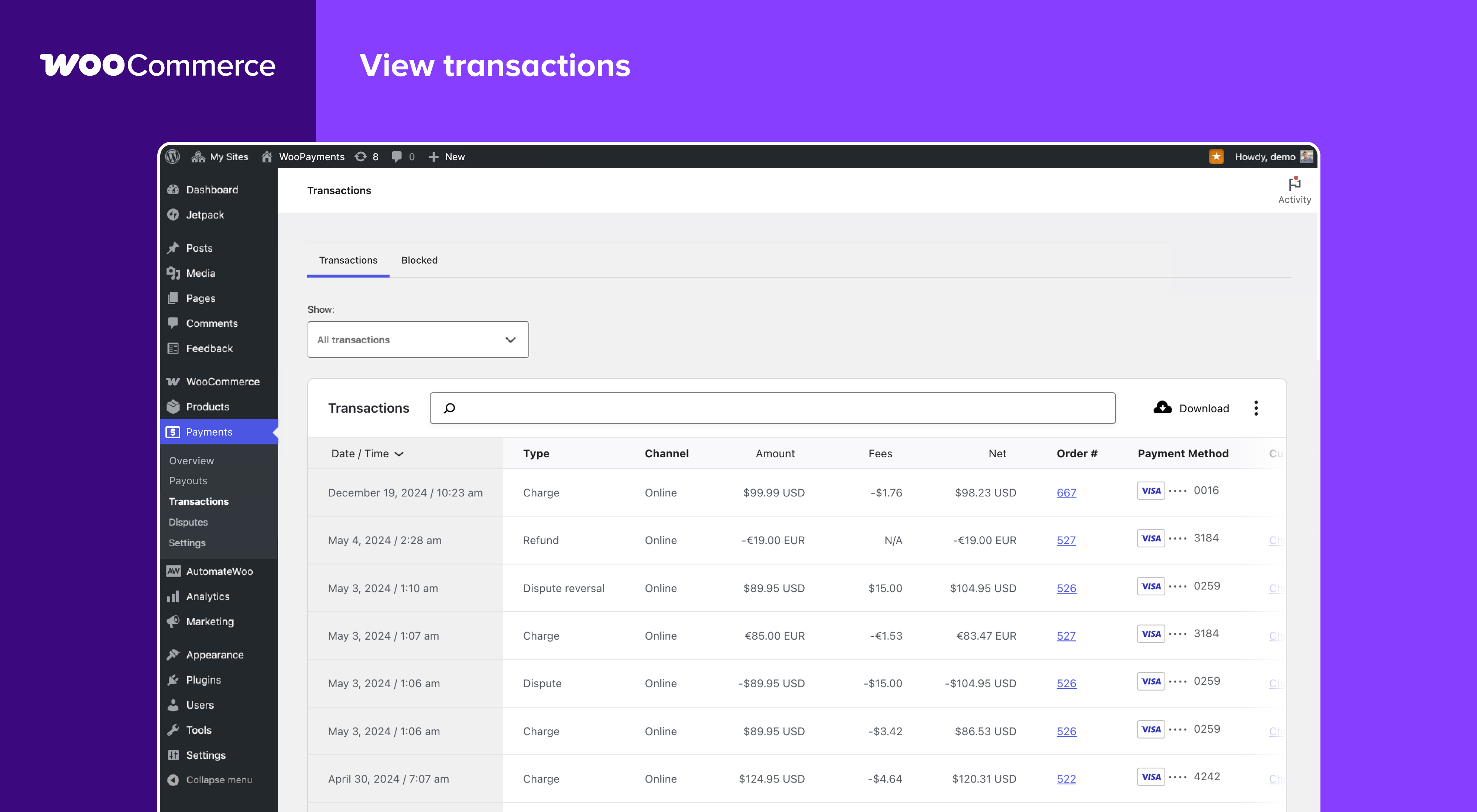
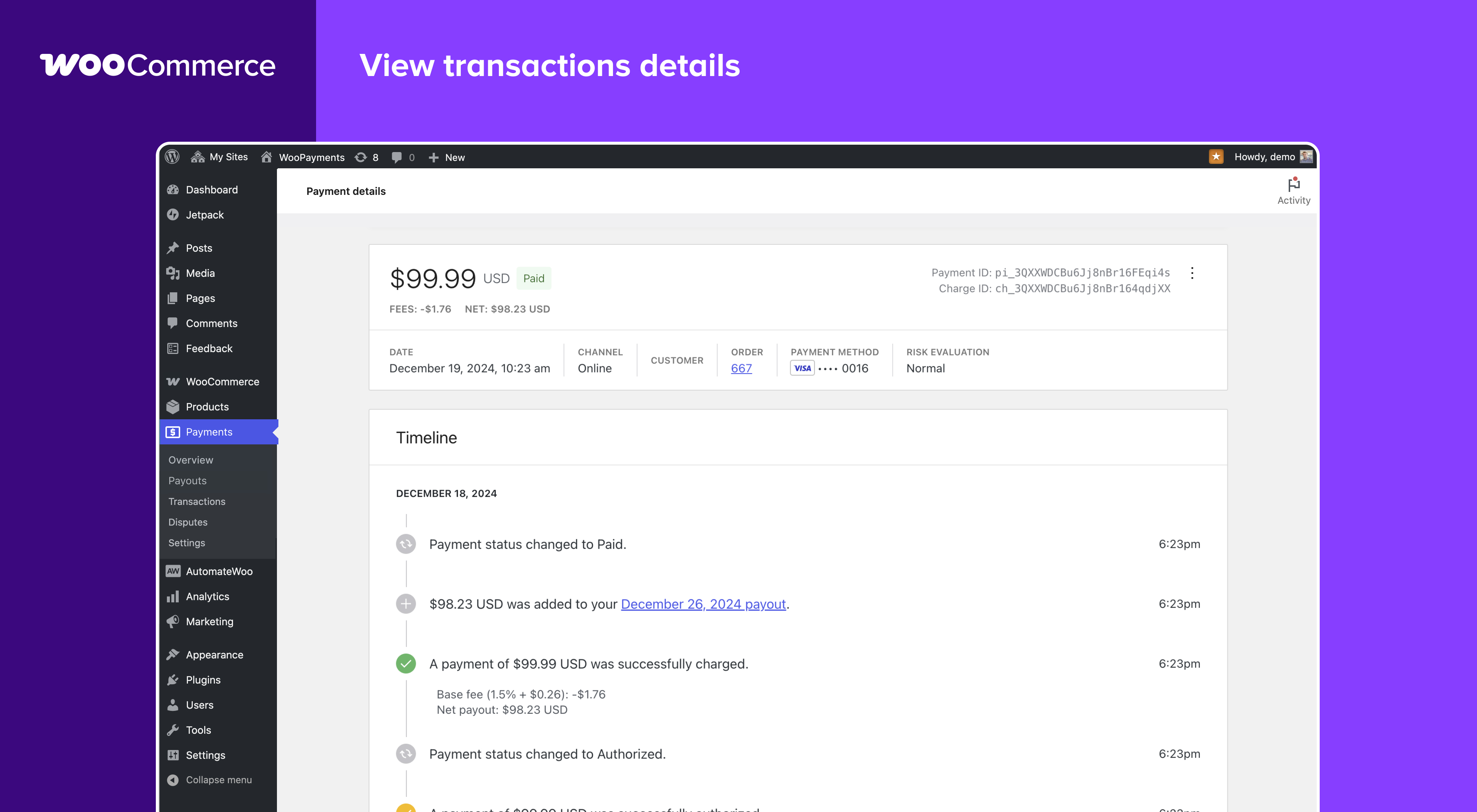
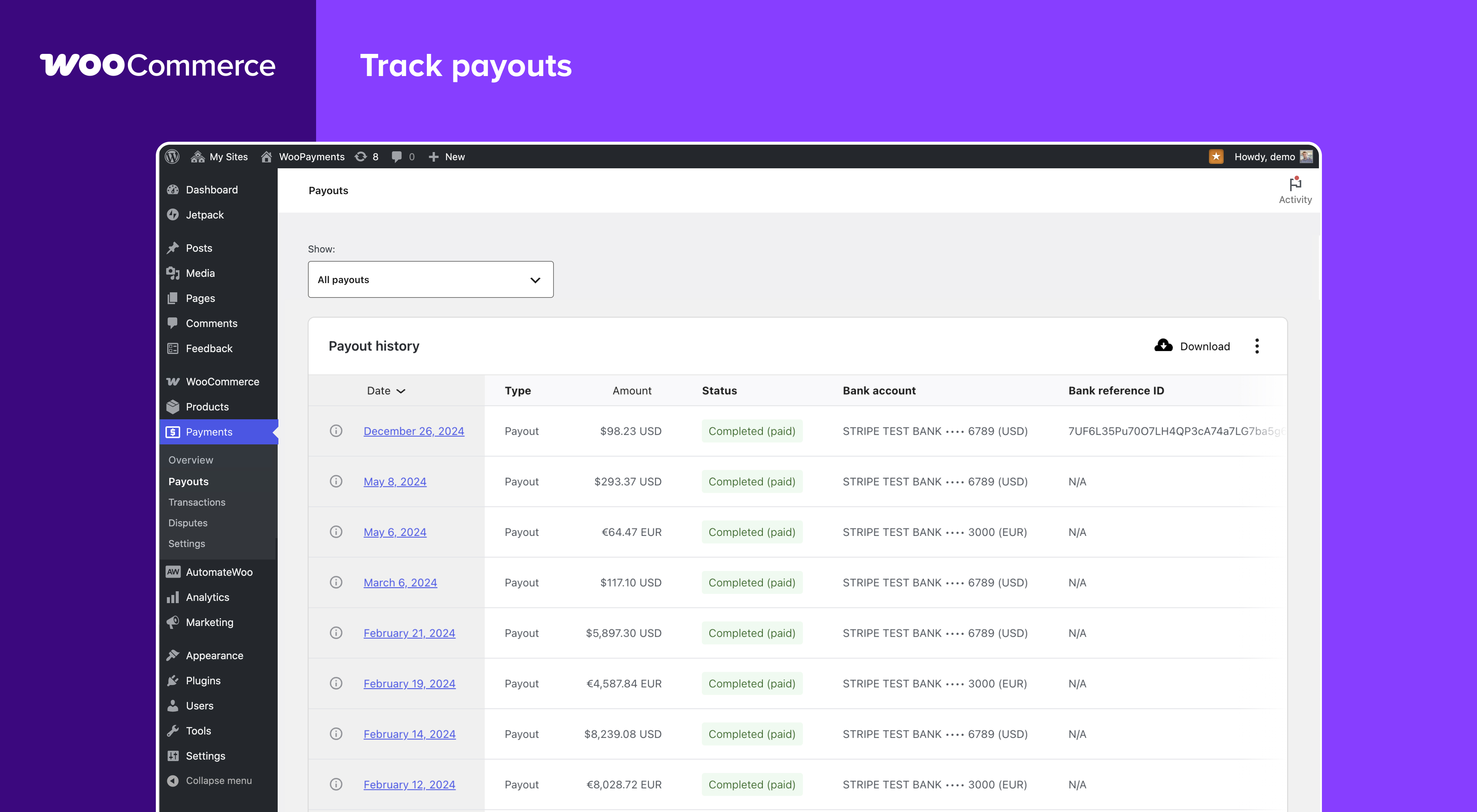
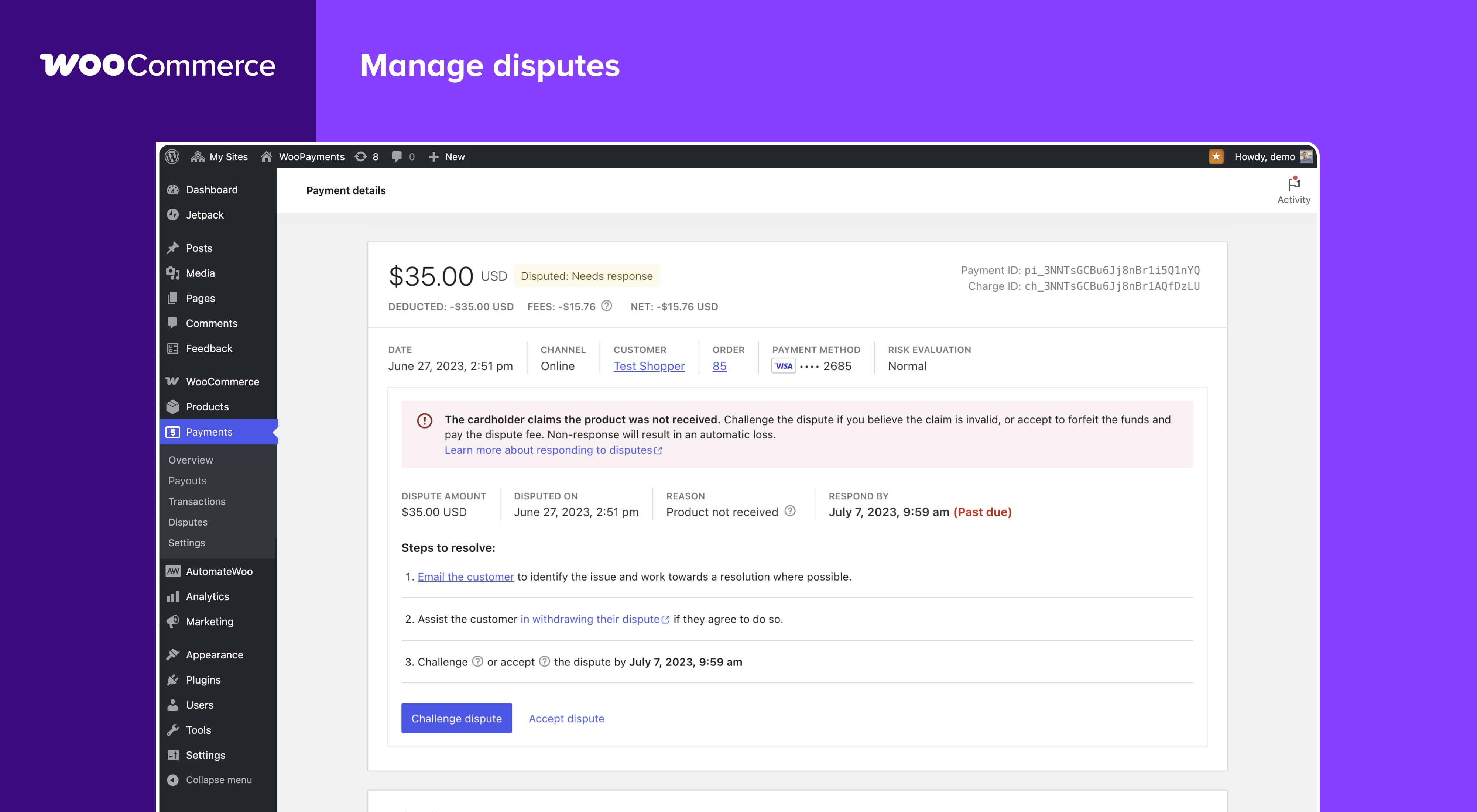
Official screenshots from the WordPress.org plugin directory, as published by the plugin authors.
Try WooPayments live
Press play to start a private, throwaway WordPress site in your browser with WooPayments version 11.1.0 already installed. Nothing is saved and nothing touches your own site: close the page and it disappears.
Real user ratings
Score
3.4/5
Reviews
176
Active installs
800,000+
Downloads
46.1M
Latest version
11.2.0
Last updated
2026-10-08
These figures come straight from the public WordPress.org plugin directory API for version 11.2.0, not from us. Check them yourself on the WordPress.org listing. Our own editorial score is 4.2/5.
Where WooPayments ranks elsewhere
WooPayments does not appear in the published "best of" lists we track from WPBeginner, TechRadar, Kinsta, Themeisle and similar sites. That is not a mark against it - those roundups are short and skew towards the biggest names.
What changed in the latest version
- Add - Show which risk filters fired when a payment is blocked or held for review, in the order note and the Fraud & Risk meta box.
- Add - Surface Stripe Radar early fraud warnings in order notes and the Fraud & Risk order metabox.
- Add - Surface Stripe Radar early fraud warnings in the transaction timeline.
- Fix - Add an accessible label to the Multi-Currency switcher so screen readers announce it correctly
- Fix - Avoid a PHP 8 "Undefined array key" warning when computing the cache TTL for a legacy cache entry stored before the errored field existed.
- Fix - fix: inline notices rendering with a cut-off left border on WordPress 7.1
- Fix - Fixed merchant-facing documentation links that landed on the wrong page or section, and relabelled two links to match their new destinations.
- Fix - Fixed the payment details summary labelling a disputed amount as refunded: the withdrawn balance line now reads "Deducted" whenever a dispute moved the money, including when the dispute fee was zero or reversed.
- Fix - Fix the currency switcher not rendering on WordPress 7.1 in Storefront breadcrumbs and the wc_get_currency_switcher_markup() template tag.
- Add - Add A/B/C design variants to the in-app review prompt, assigned per-store via ExPlat (prompt remains disabled pending eligibility criteria)
- Add - Multi-Currency: add the wcpay_multi_currency_should_output_explicit_price filter so merchants can force the currency code suffix on totals (e.g. "765 Kč CZK") on or off.
- Add - Multi-Currency: auto-detect page caching to enable or recommend the cache-optimized rendering mode
- Fix - Add direct file access protection to PHP files flagged by Plugin Check.
- Fix - Attach WooPayments subscription tokens when webhook payment completion runs without checkout AJAX finalization.
- Fix - Avoid a fatal when a dispute webhook references an unknown charge.
- Fix - Avoid invalidating multi-currency rate cache for visitor-filtered currencies
- Fix - Balance report: display amounts using the standard WooPayments currency formatting.
Release notes are the developer's own words, published on WordPress.org. Read the full changelog
Pros and cons
- Payments managed inside WordPress
- Free with no licence to renew
- Actively maintained and used on production sites we test
- Limited to supported countries
- Support is community-led rather than guaranteed
How to use it
- 1Install on a staging copy first if the site takes money.
- 2Work through the setup wizard and connect any external accounts it needs.
- 3Configure the one feature you installed it for, and leave the rest off.
- 4Test the result as a logged-out visitor on both mobile and desktop.
- 5Re-run our speed test to confirm the plugin has not cost you load time.
How it compares
Other payments plugins we recommend, with their rating and pricing model.
| Plugin | Our rating | WordPress.org | Pricing | Best for |
|---|---|---|---|---|
| WooPayments | 4.2 | 3.4 (176) | Free | Payments managed inside WordPress |
| PayPal Payments | 4.2 | n/a | Free | Buyer trust and wallet checkout |
| WooCommerce Stripe Gateway | 4.4 | 4.5 (4,828) | Free | Apple Pay and Google Pay included |
| WP Simple Pay | 4.7 | n/a | Freemium | Payments without WooCommerce |
Guides that cover WooPayments

Alternatives
Other payments plugins
PayPal Payments
WooCommerce
The official PayPal extension with standard checkout, Pay Later and card processing.
WooCommerce Stripe Gateway
WooCommerce
The official Stripe gateway with cards, wallets and local payment methods for WooCommerce.
4,828 reviews · 470.6M downloads · v11.2.1
WP Simple Pay
Awesome Motive
Takes Stripe payments through standalone forms without installing a full ecommerce platform.