
WP Crontrol
by John Blackbourn
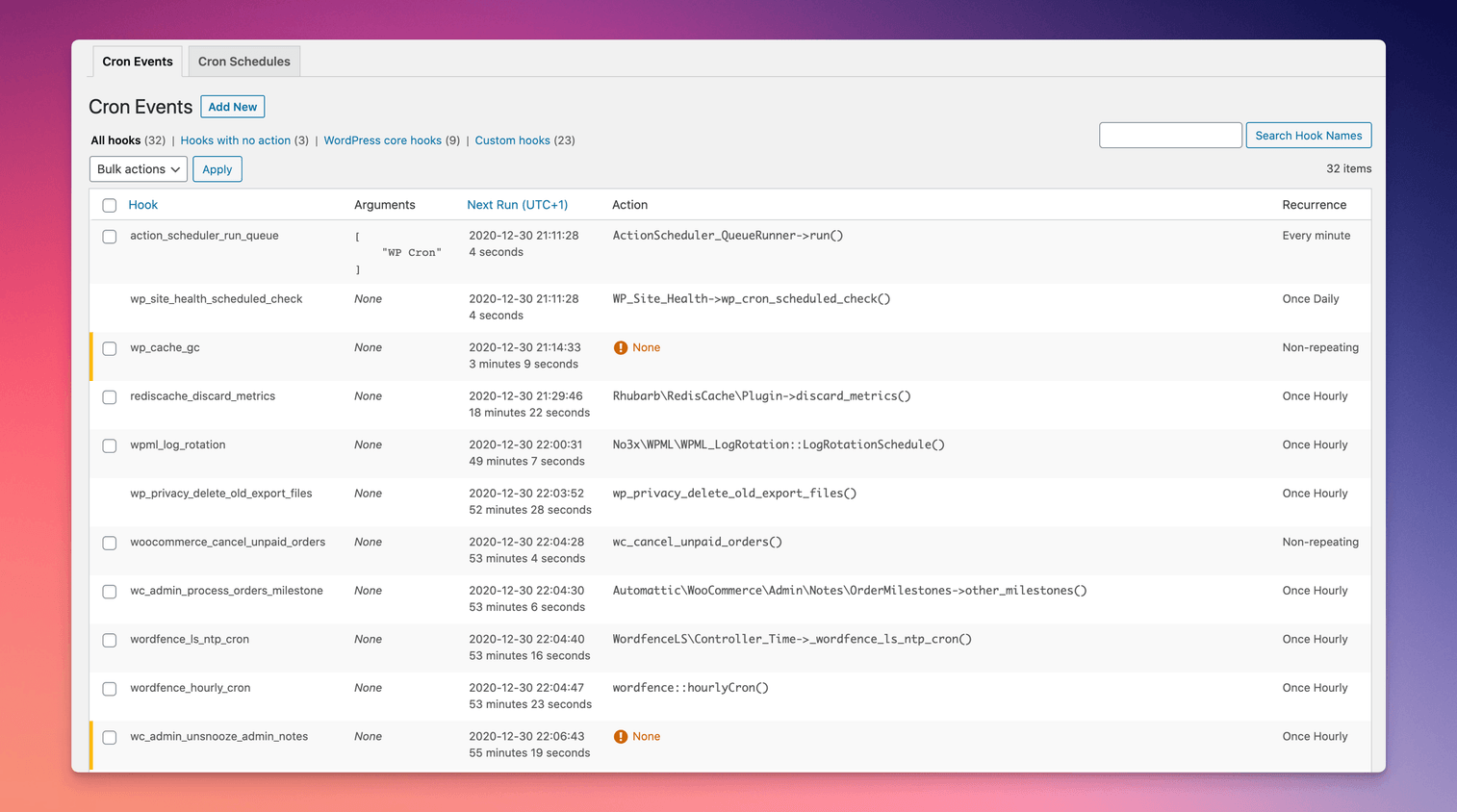
Shows every scheduled WordPress cron event so you can run, edit or delete the jobs slowing your site.
This link may earn us a commission. It never changes our rating.
What WP Crontrol does
Shows every scheduled WordPress cron event so you can run, edit or delete the jobs slowing your site.
It sits in the maintenance part of a WordPress stack and is sold by John Blackbourn on a free basis. We recommend it in our maintenance guides because it does that one job well without asking you to rebuild the rest of the site around it.
Every plugin adds work to a page request, so treat this as a decision with a cost. Record a speed test before you install it and run the same test afterwards, on the same page, so you know exactly what it charged you.
What WP Crontrol looks like
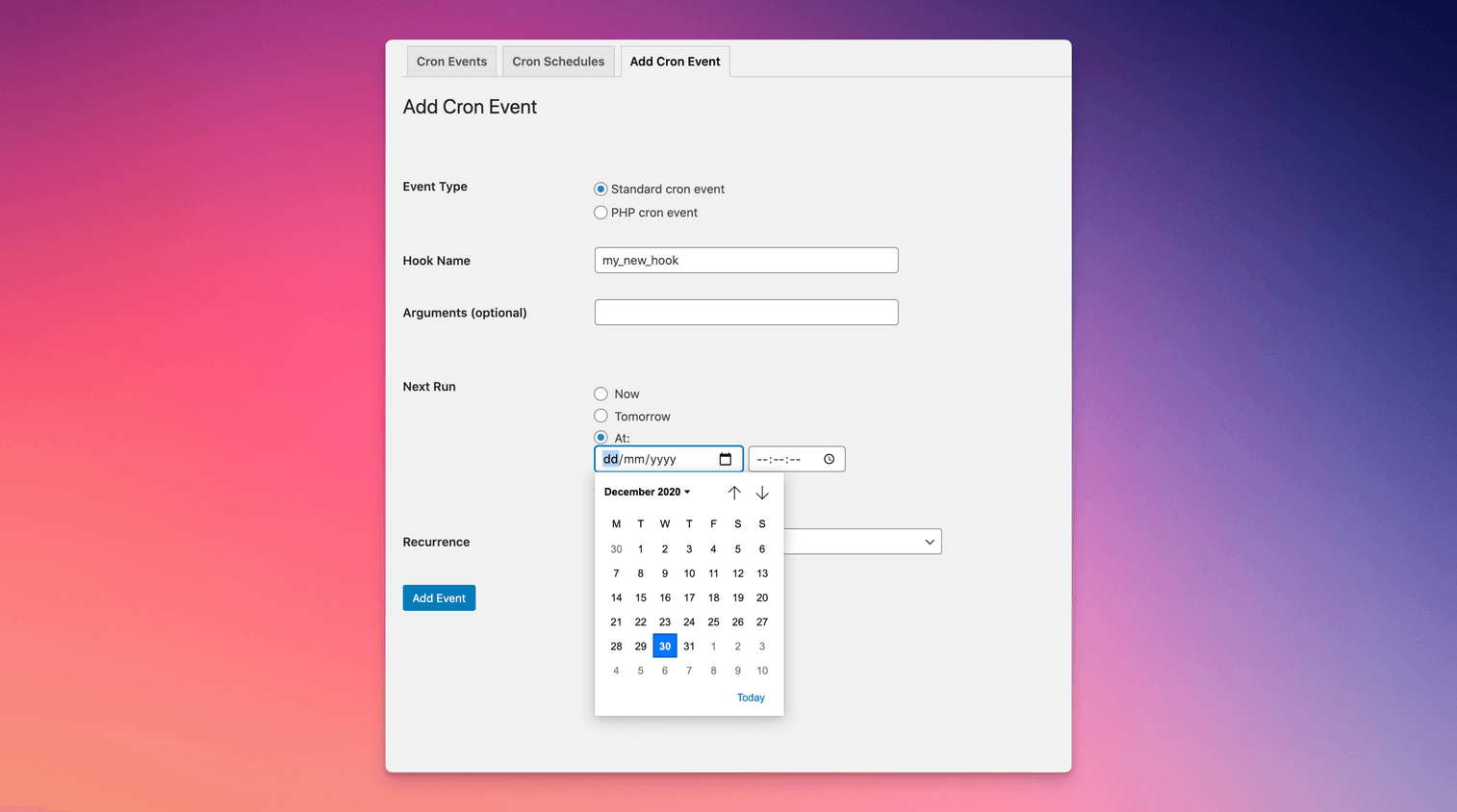
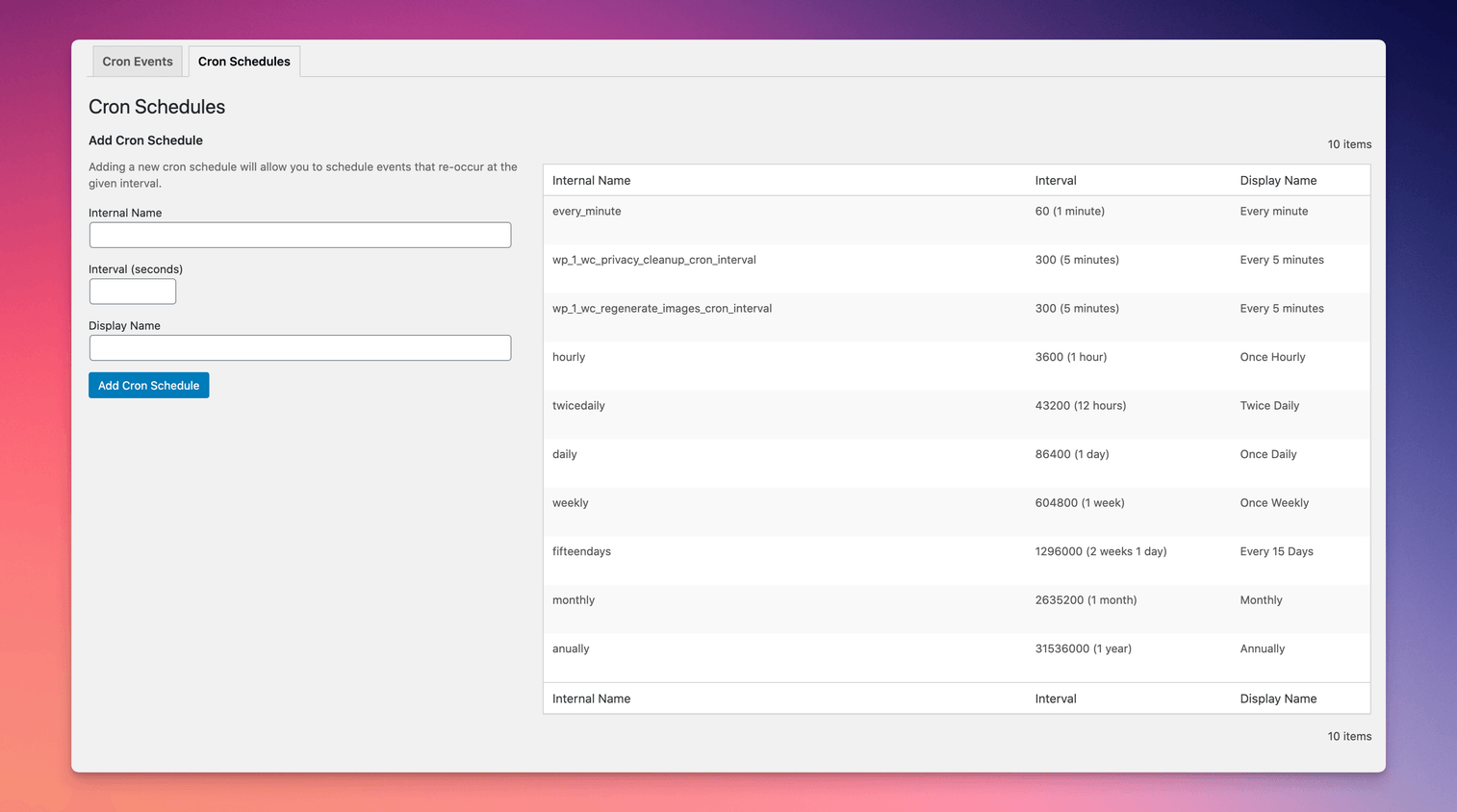
Official screenshots from the WordPress.org plugin directory, as published by the plugin authors.
Try WP Crontrol live
Press play to start a private, throwaway WordPress site in your browser with WP Crontrol version 1.21.2 already installed. Nothing is saved and nothing touches your own site: close the page and it disappears.
Real user ratings
Score
4.4/5
Reviews
167
Active installs
300,000+
Downloads
8.9M
Latest version
2.0.0
Last updated
2026-10-15
These figures come straight from the public WordPress.org plugin directory API for version 2.0.0, not from us. Check them yourself on the WordPress.org listing. Our own editorial score is 4.5/5.
Where WP Crontrol ranks elsewhere
WP Crontrol does not appear in the published "best of" lists we track from WPBeginner, TechRadar, Kinsta, Themeisle and similar sites. That is not a mark against it - those roundups are short and skew towards the biggest names.
What changed in the latest version
- Confirms full support for WordPress 7.1
- Bumps the minimum supported version of WordPress to 6.6
- Fixes some bulk delete behaviour
- Confirms full support for WordPress 7.0
- Adds support for invalid args in cron events by relaxing the strict typing and showing a warning on the listing and editing screens.
Release notes are the developer's own words, published on WordPress.org. Read the full changelog
Pros and cons
- Finds runaway cron jobs that quietly eat CPU
- Free with no licence to renew
- Actively maintained and used on production sites we test
- It is a developer tool, not a guided fixer
- Support is community-led rather than guaranteed
How to use it
- 1Install on a staging copy first if the site takes money.
- 2Work through the setup wizard and connect any external accounts it needs.
- 3Configure the one feature you installed it for, and leave the rest off.
- 4Test the result as a logged-out visitor on both mobile and desktop.
- 5Re-run our speed test to confirm the plugin has not cost you load time.
How it compares
Other maintenance plugins we recommend, with their rating and pricing model.
| Plugin | Our rating | WordPress.org | Pricing | Best for |
|---|---|---|---|---|
| WP Crontrol | 4.5 | 4.4 (167) | Free | Finds runaway cron jobs that quietly eat CPU |
| Disable Comments | 4.7 | 4.7 (281) | Free | Removes an entire spam surface in one click |
| Simple History | 4.9 | 4.9 (491) | Free | Answers who broke the site, with a timestamp |
Alternatives
Other maintenance plugins
Disable Comments
WPDeveloper
Switches comments off globally or per post type and strips the leftover comment markup and menus.
281 reviews · 35.6M downloads · v2.9.1
Simple History
Par Thernstrom
An audit log of who changed what: posts, plugins, users, settings and failed logins, in a readable feed.
491 reviews · 13.7M downloads · v5.36.0