
WPForms Twilio Addon
by WPForms
Sends SMS notifications through Twilio whenever a WPForms entry arrives.
This link may earn us a commission. It never changes our rating.
What WPForms Twilio Addon does
Sends SMS notifications through Twilio whenever a WPForms entry arrives.
It sits in the forms part of a WordPress stack and is sold by WPForms on a premium basis. We recommend it in our forms guides because it does that one job well without asking you to rebuild the rest of the site around it.
Every plugin adds work to a page request, so treat this as a decision with a cost. Record a speed test before you install it and run the same test afterwards, on the same page, so you know exactly what it charged you.
What WPForms Twilio Addon looks like
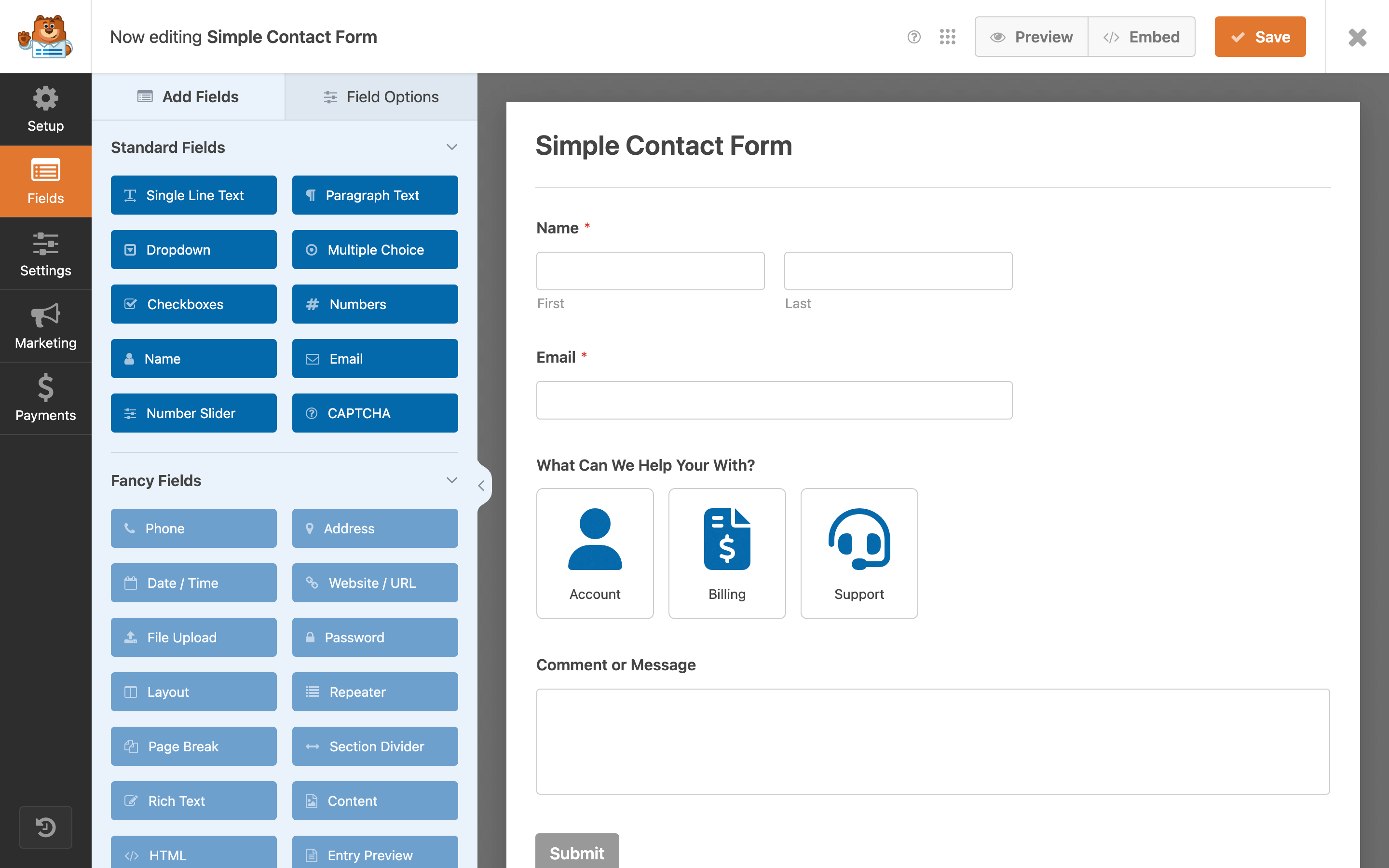
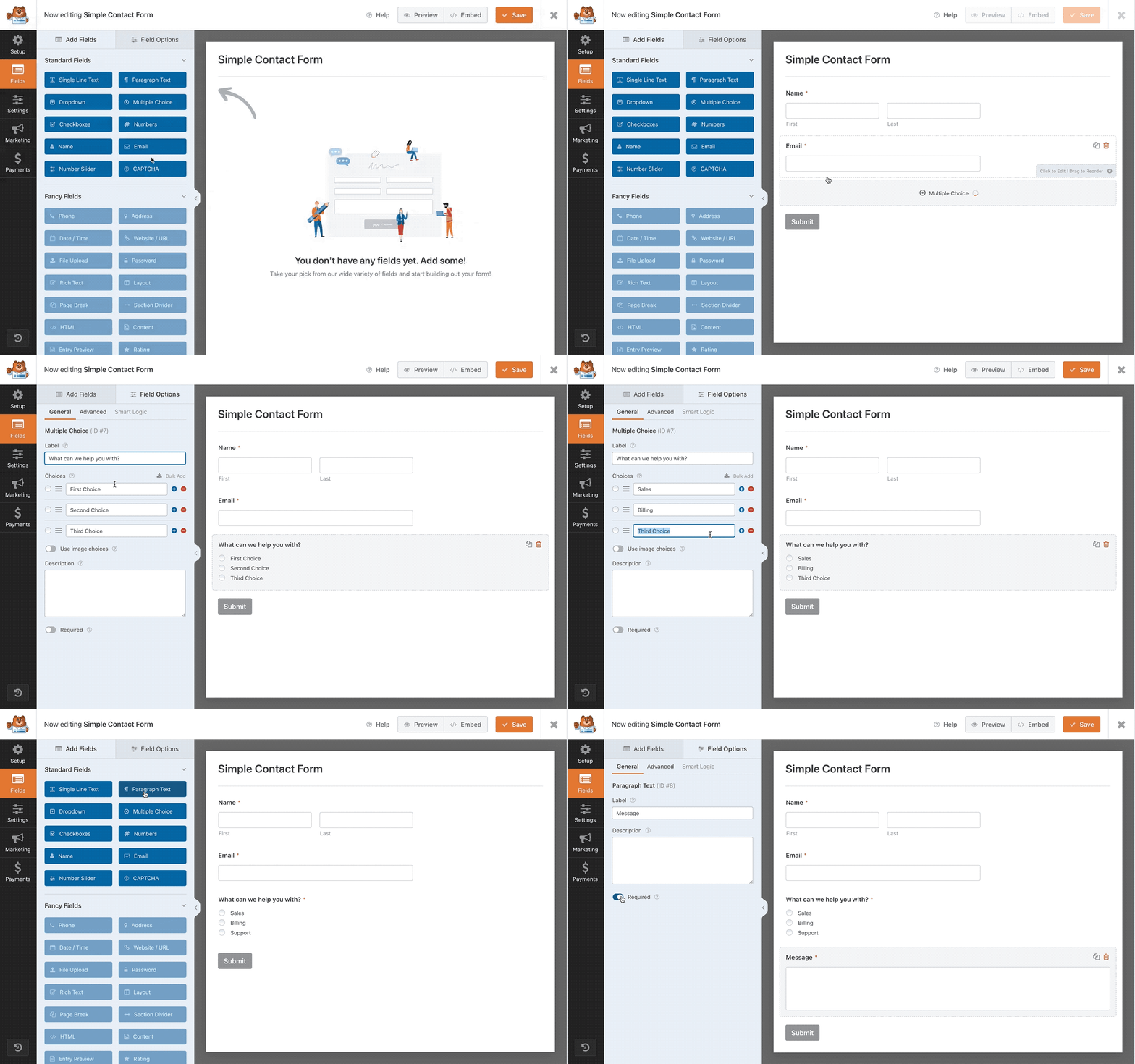
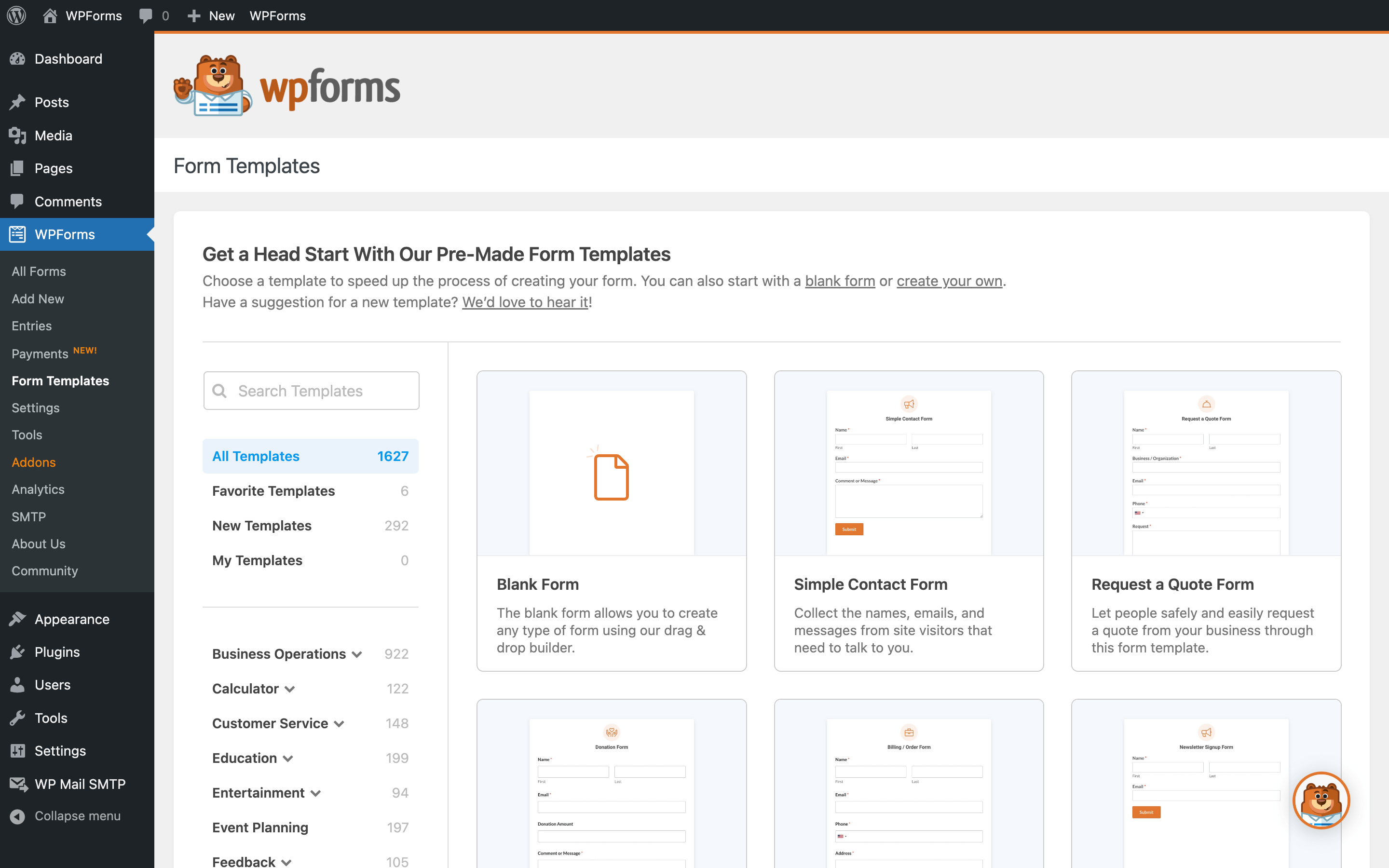
Official screenshots from the WordPress.org plugin directory, as published by the plugin authors.

Try WPForms Twilio Addon live
Press play to start a private, throwaway WordPress site in your browser with WPForms Twilio Addon version 2.0.1.1 already installed. Nothing is saved and nothing touches your own site: close the page and it disappears.
Real user ratings
Score
4.8/5
Reviews
14,386
Active installs
5,000,000+
Downloads
364.2M
Latest version
2.0.3
Last updated
2026-10-22
These figures come straight from the public WordPress.org plugin directory API for version 2.0.3, not from us. Check them yourself on the WordPress.org listing. Our own editorial score is 4.2/5.
Where WPForms Twilio Addon ranks elsewhere
WPForms Twilio Addon does not appear in the published "best of" lists we track from WPBeginner, TechRadar, Kinsta, Themeisle and similar sites. That is not a mark against it - those roundups are short and skew towards the biggest names.
What changed in the latest version
- Added: New QR Code setting generates a downloadable code for a chosen page or URL.
- Added: New Add Media button in the Confirmation Message editor allows inserting images from the Media Library.
- Added: Buttons in the Form Builder and on WPForms admin pages now show a visible focus indicator during keyboard navigation, and it no longer appears on mouse click.
- Changed: Stripe Radar-blocked payments now appear in the payment log with a distinct label instead of the generic decline message.
- Changed: Updated DOMPurify library to 3.4.13.
- Fixed: The Smart Tags widget in the Form Builder did not highlight required fields with a red border when validation failed.
- Fixed: A PHP notice was logged on the front-end when a payment field (Multiple Items, Checkbox Items, or Dropdown Items) contained a choice saved without a label.
- Fixed: Form templates in the Form Builder Setup panel were not filtered by the form's selected category, showing all templates instead.
- Fixed: The WPForms admin menu left a large empty gap below it on mobile screens when viewing non-WPForms admin pages.
- Fixed: Lite Connect site registration failed permanently when the admin user profile had an empty first or last name, blocking entry backups.
- Fixed: The Onboarding Wizard would time out in some cases.
Release notes are the developer's own words, published on WordPress.org. Read the full changelog
Pros and cons
- Instant text alerts for new leads
- Paid support and updates from the vendor
- Actively maintained and used on production sites we test
- Twilio account and per-message cost
- Renewal cost is annual and per site
How to use it
- 1Start from a template close to the form you need.
- 2Add only the fields you will act on, and mark the rest optional.
- 3Set up notification and confirmation emails, then send a real test.
- 4Add conditional logic so long forms only show relevant questions.
- 5Pair it with an SMTP plugin so notifications actually arrive.
How it compares
Other forms plugins we recommend, with their rating and pricing model.
| Plugin | Our rating | WordPress.org | Pricing | Best for |
|---|---|---|---|---|
| WPForms Twilio Addon | 4.2 | 4.8 (14,386) | Premium | Instant text alerts for new leads |
| Contact Form 7 | 4.0 | 4 (2,183) | Free | Almost no front-end weight compared with visual builders |
| Everest Forms | 4.6 | 4.9 (375) | Freemium | Very light on the frontend |
| Fluent Forms | 4.7 | 4.8 (806) | Freemium | Lots of features per pound |
| Formidable Forms | 4.6 | 4.8 (1,385) | Freemium | Calculations and front-end views |
| Formidable Forms Twilio | 4.2 | 4.8 (1,385) | Premium | Conditional SMS triggers |
Guides that cover WPForms Twilio Addon

Alternatives
Other forms plugins
Contact Form 7
Rock Lobster
The original WordPress contact form plugin: markup driven, extremely light and free with no entry limits.
2,183 reviews · 430.0M downloads · v6.2.3
Everest Forms
WPEverest
A lightweight form builder with a clean interface and a free tier that covers standard contact forms well.
375 reviews · 7.9M downloads · v3.6.3
Fluent Forms
WPManageNinja
A fast, self-hosted form builder with conditional logic and most integrations included at a low licence price.
806 reviews · 20.2M downloads · v6.2.16