
Geolocation IP Detection
by Benjamin Pick
A free developer plugin exposing MaxMind geolocation data to themes and other plugins.
This link may earn us a commission. It never changes our rating.
What Geolocation IP Detection does
A free developer plugin exposing MaxMind geolocation data to themes and other plugins.
It sits in the geotargeting part of a WordPress stack and is sold by Benjamin Pick on a free basis. We recommend it in our geotargeting guides because it does that one job well without asking you to rebuild the rest of the site around it.
Every plugin adds work to a page request, so treat this as a decision with a cost. Record a speed test before you install it and run the same test afterwards, on the same page, so you know exactly what it charged you.
What Geolocation IP Detection looks like
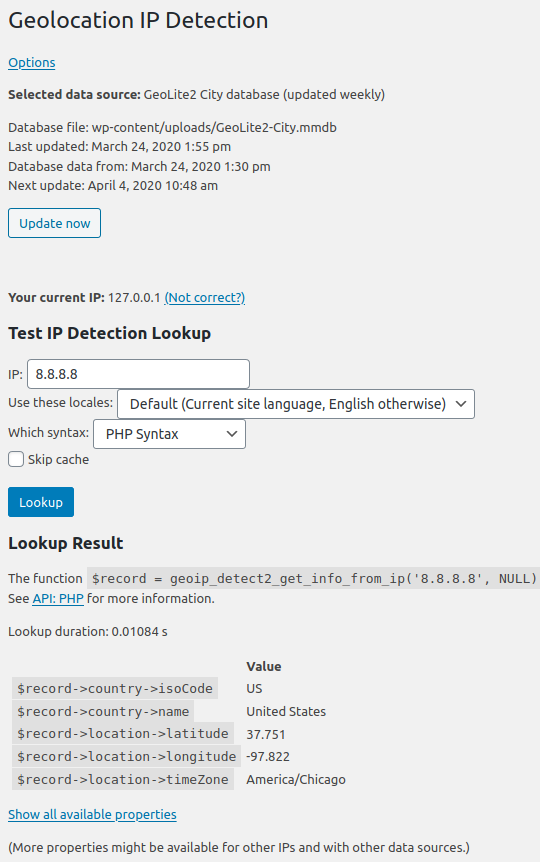
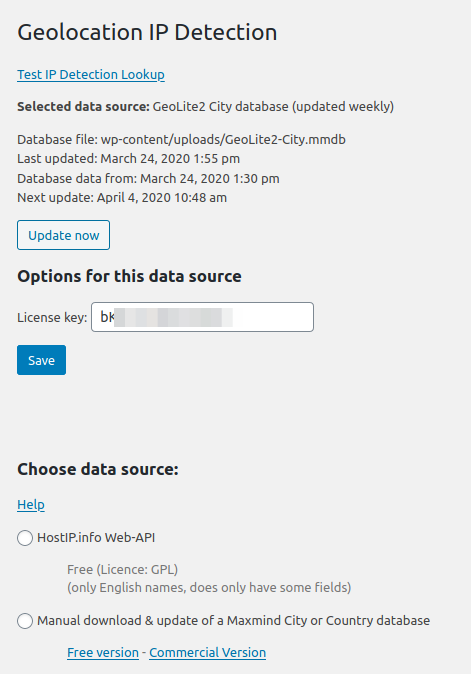
Official screenshots from the WordPress.org plugin directory, as published by the plugin authors.
Try Geolocation IP Detection live
Press play to start a private, throwaway WordPress site in your browser with Geolocation IP Detection version 5.6.4 already installed. Nothing is saved and nothing touches your own site: close the page and it disappears.
Real user ratings
Score
4.7/5
Reviews
59
Active installs
20,000+
Downloads
604K
Latest version
5.6.4
Last updated
2026-06-03
These figures come straight from the public WordPress.org plugin directory API for version 5.6.4, not from us. Check them yourself on the WordPress.org listing. Our own editorial score is 4.4/5.
Where Geolocation IP Detection ranks elsewhere
Geolocation IP Detection does not appear in the published "best of" lists we track from WPBeginner, TechRadar, Kinsta, Themeisle and similar sites. That is not a mark against it - those roundups are short and skew towards the biggest names.
What changed in the latest version
- FIX: Lookup / Settings pages do not say "Sorry, you are not allowed to access this page" anymore (Regression of 5.6.3)
- FIX: Automatic update works again (Regression of 5.6.2)
- FIX: Compatibility with WordPress 7.0 (Command Palette)
- UI: Showing dates now respect the wordpress timezone setting
- Library updates
Release notes are the developer's own words, published on WordPress.org. Read the full changelog
Pros and cons
- Free and light
- Free with no licence to renew
- Actively maintained and used on production sites we test
- Requires code to use
- Support is community-led rather than guaranteed
How to use it
- 1Install on a staging copy first if the site takes money.
- 2Work through the setup wizard and connect any external accounts it needs.
- 3Configure the one feature you installed it for, and leave the rest off.
- 4Test the result as a logged-out visitor on both mobile and desktop.
- 5Re-run our speed test to confirm the plugin has not cost you load time.
How it compares
Other geotargeting plugins we recommend, with their rating and pricing model.
| Plugin | Our rating | WordPress.org | Pricing | Best for |
|---|---|---|---|---|
| Geolocation IP Detection | 4.4 | 4.7 (59) | Free | Free and light |
| GeoTargetingWP | 4.5 | n/a | Freemium | Granular location rules |
| If-So Dynamic Content | 4.6 | 4.7 (92) | Freemium | Dynamic content beyond geography |
| IP2Location Redirection | 4.3 | 4.3 (43) | Freemium | Simple country redirect rules |
Guides that cover Geolocation IP Detection

Alternatives
Other geotargeting plugins
GeoTargetingWP
Timersys
Shows different content, popups or redirects by country, region or city.
If-So Dynamic Content
If-So
Swaps any content based on location, referrer, device, time or query string.
92 reviews · 337K downloads · v1.10.3
IP2Location Redirection
IP2Location
Redirects visitors to country-specific pages or blocks regions entirely.
43 reviews · 553K downloads · v1.42.2