
WP All Import
by Soflyy
Maps any CSV or XML feed onto WordPress posts, products or users with a drag-and-drop interface.
This link may earn us a commission. It never changes our rating.
What WP All Import does
Maps any CSV or XML feed onto WordPress posts, products or users with a drag-and-drop interface.
It sits in the migration part of a WordPress stack and is sold by Soflyy on a freemium basis. We recommend it in our migration guides because it does that one job well without asking you to rebuild the rest of the site around it.
Every plugin adds work to a page request, so treat this as a decision with a cost. Record a speed test before you install it and run the same test afterwards, on the same page, so you know exactly what it charged you.
What WP All Import looks like
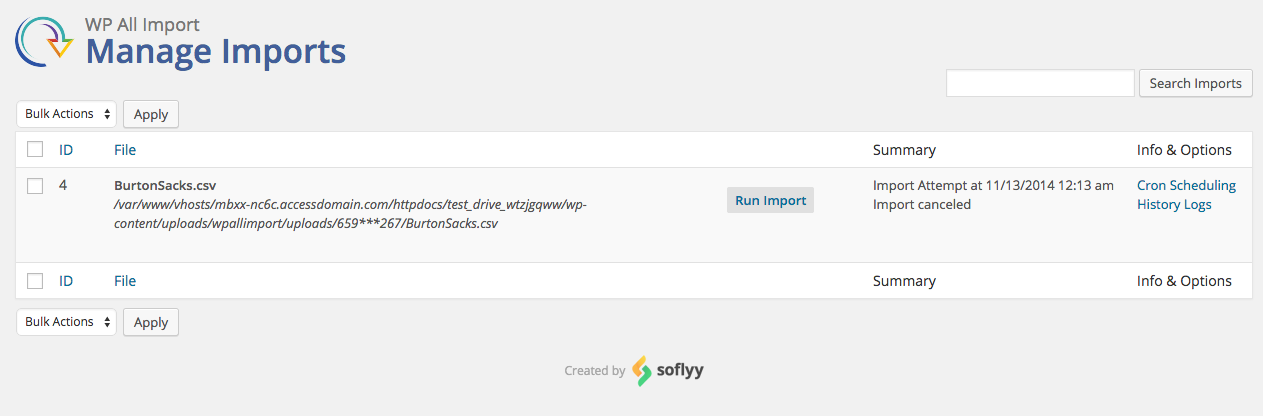
Official screenshots from the WordPress.org plugin directory, as published by the plugin authors.


Try WP All Import live
Press play to start a private, throwaway WordPress site in your browser with WP All Import version 4.1.1 already installed. Nothing is saved and nothing touches your own site: close the page and it disappears.
Real user ratings
Score
4.7/5
Reviews
1,964
Active installs
100,000+
Downloads
5.7M
Latest version
4.1.4
Last updated
2026-10-20
These figures come straight from the public WordPress.org plugin directory API for version 4.1.4, not from us. Check them yourself on the WordPress.org listing. Our own editorial score is 4.7/5.
Where WP All Import ranks elsewhere
WP All Import does not appear in the published "best of" lists we track from WPBeginner, TechRadar, Kinsta, Themeisle and similar sites. That is not a mark against it - those roundups are short and skew towards the biggest names.
What changed in the latest version
- security improvement: hardening of inline PHP execution restriction
- security improvement: hardening of database queries
- improvement: ported new add-on API
- API: pmxi_fire_hooks, pmxi_disabled_delete_missing_options, pmxi_hidden_delete_missing_options, pmxi_status_of_removed_options, pmxi_hidden_data_to_update_options
- security improvement: fixes CVE-2026-2830
- maintenance: update packages
Release notes are the developer's own words, published on WordPress.org. Read the full changelog
Pros and cons
- Handles messy real-world feeds
- A free tier you can trial before paying
- Actively maintained and used on production sites we test
- Add-ons required for WooCommerce and ACF
- The features most sites need sit in the paid tier
How to use it
- 1Back up the destination site's database before importing anything.
- 2Run a small sample import first and check the field mapping.
- 3Raise PHP memory and execution limits for large files.
- 4Import media separately if the run keeps timing out.
- 5Spot-check twenty records and all internal links after the run.
How it compares
Other migration plugins we recommend, with their rating and pricing model.
| Plugin | Our rating | WordPress.org | Pricing | Best for |
|---|---|---|---|---|
| WP All Import | 4.7 | 4.7 (1,964) | Freemium | Handles messy real-world feeds |
| Customizer Export/Import | 4.4 | 4.8 (115) | Free | Fast design handover between sites |
| Export Media Library | 4.5 | 4.9 (48) | Free | Simple full-media backup |
| Import Export Suite for WooCommerce | 4.5 | n/a | Freemium | Handles orders and coupons, not just products |
| Product CSV Import Suite | 4.0 | n/a | Premium | Official support for variation imports |
| Users Import and Export | 4.3 | n/a | Freemium | Keeps user meta intact |
Guides that cover WP All Import

Alternatives
Other migration plugins
Customizer Export/Import
Beaver Addons
Exports and imports theme customiser settings so a design can be reproduced on another site.
115 reviews · 2.8M downloads · v0.9.8
Export Media Library
Ed Hartnett
Downloads the whole media library as a zip, preserving folder structure.
48 reviews · 499K downloads · v4.0.2
Import Export Suite for WooCommerce
WebToffee
Imports and exports WooCommerce products, orders, coupons and customers via CSV with scheduling.